> For the complete documentation index, see [llms.txt](https://docs.mvlchain.io/llms.txt). Markdown versions of documentation pages are available by appending `.md` to page URLs; this page is available as [Markdown](https://docs.mvlchain.io/user-guide/token-use-cases/mvl-staking/user-guide/eth-mvl-lp-staking.md).

# ETH-MVL LP Staking

## Get LP Tokens

<mark style="color:red;">**※ Be aware of the possible impermanent loss when creating LP tokens.**</mark>

<figure><img src="https://content.gitbook.com/content/QtGcg1a5smM2WOcc0Ti3/blobs/jKrTaD4Edzae62AGcSir/image.png" alt=""><figcaption></figcaption></figure>

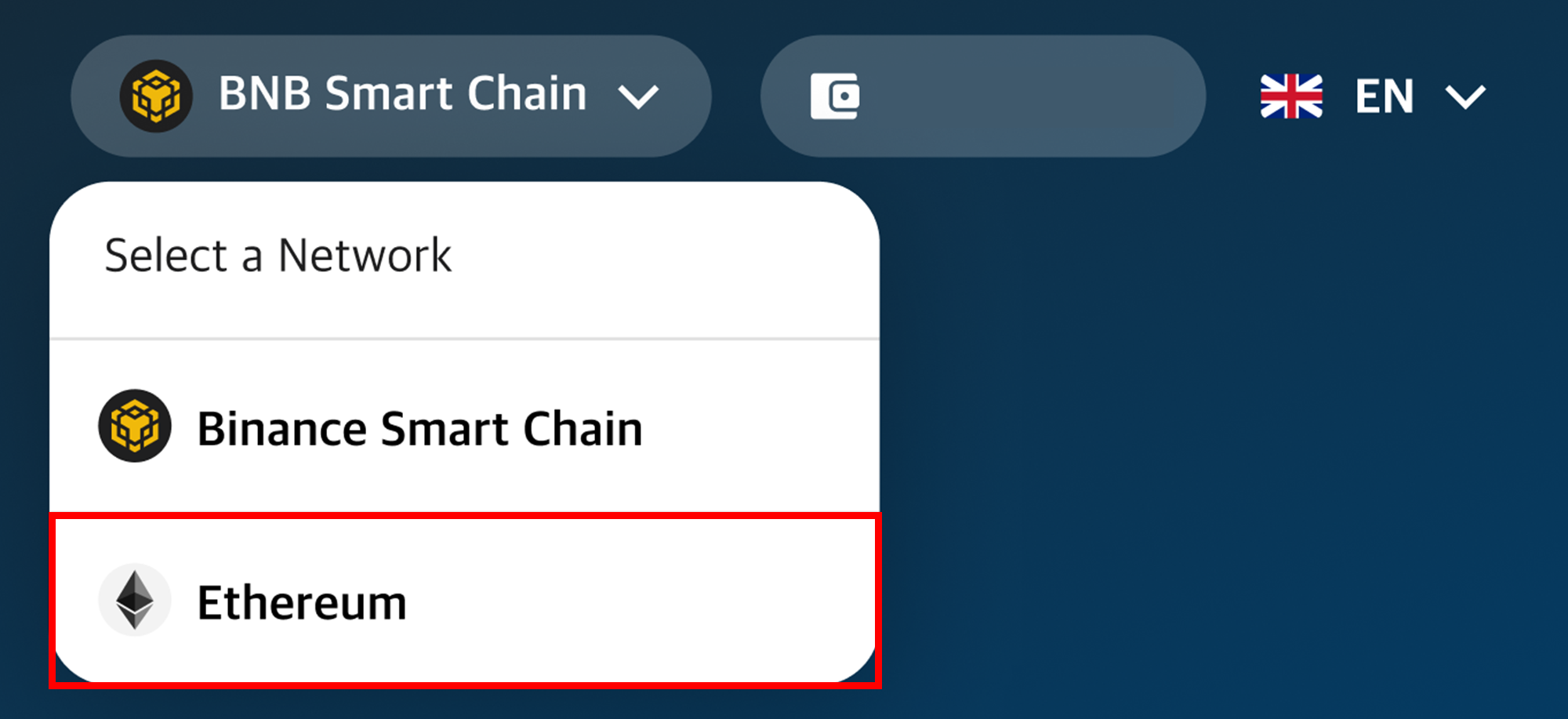
① Select Network as Ethereum.

<figure><img src="https://content.gitbook.com/content/QtGcg1a5smM2WOcc0Ti3/blobs/GAZtqLVottKFzJsEwgva/image.png" alt=""><figcaption></figcaption></figure>

<figure><img src="https://content.gitbook.com/content/QtGcg1a5smM2WOcc0Ti3/blobs/DXyjxfBtFmpJASC7MFYA/image.png" alt=""><figcaption></figcaption></figure>

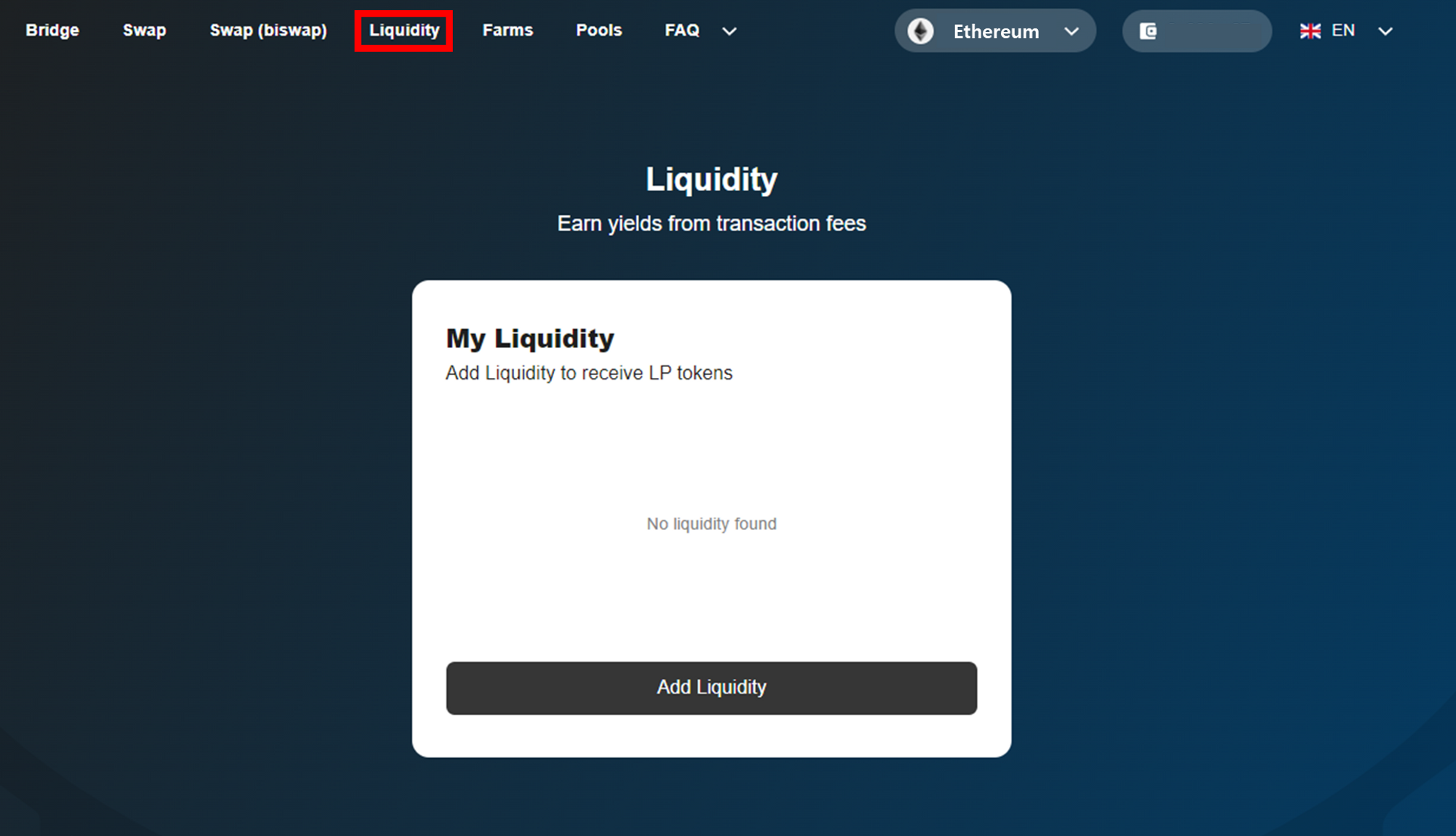
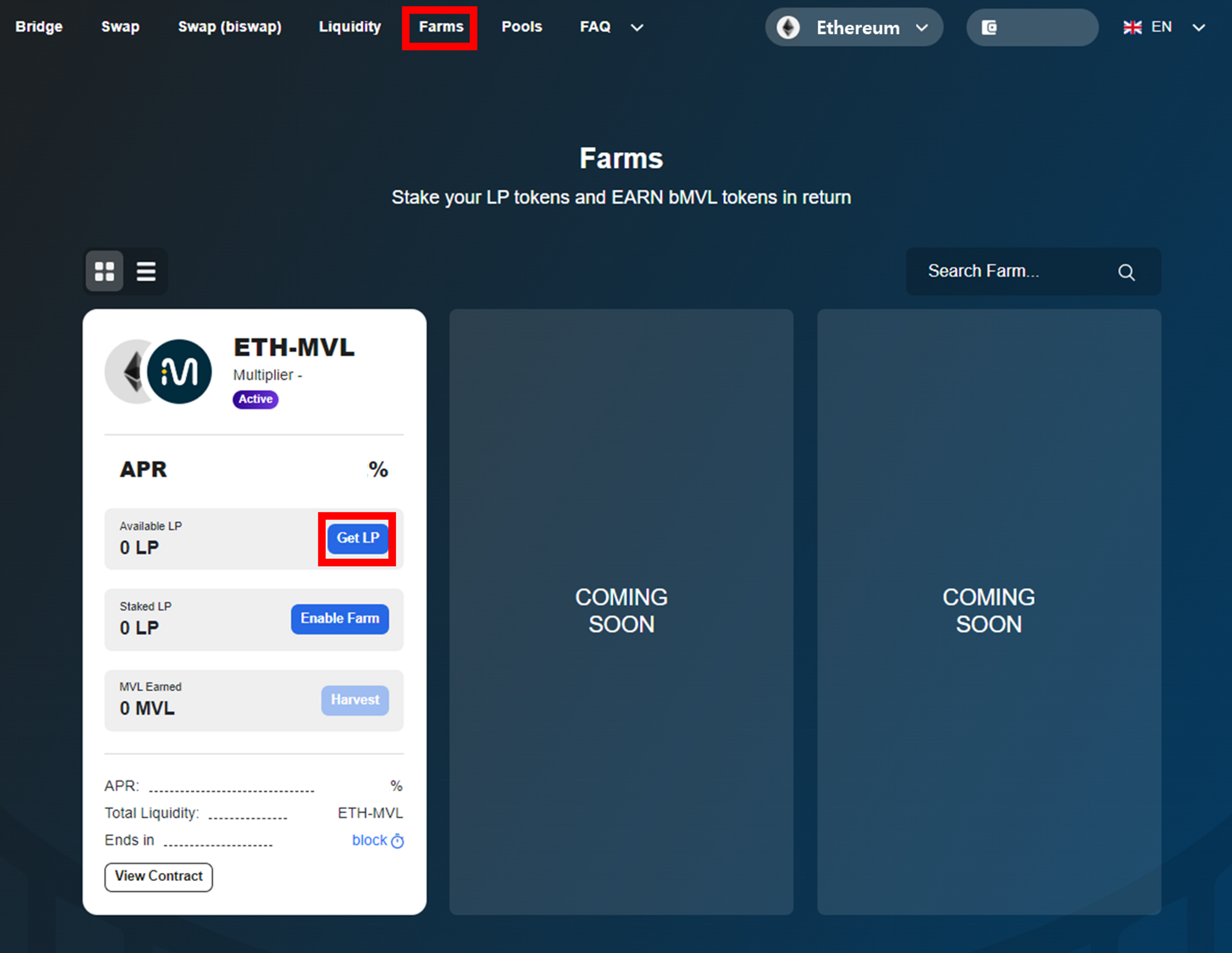
② Click **\[Liquidity]** or ‘**Get LP**’ on Farms tab and go to **\[Liquidity]** page.

<figure><img src="https://content.gitbook.com/content/QtGcg1a5smM2WOcc0Ti3/blobs/8JpsU7hoOYA2agMQfwJ9/image.png" alt=""><figcaption></figcaption></figure>

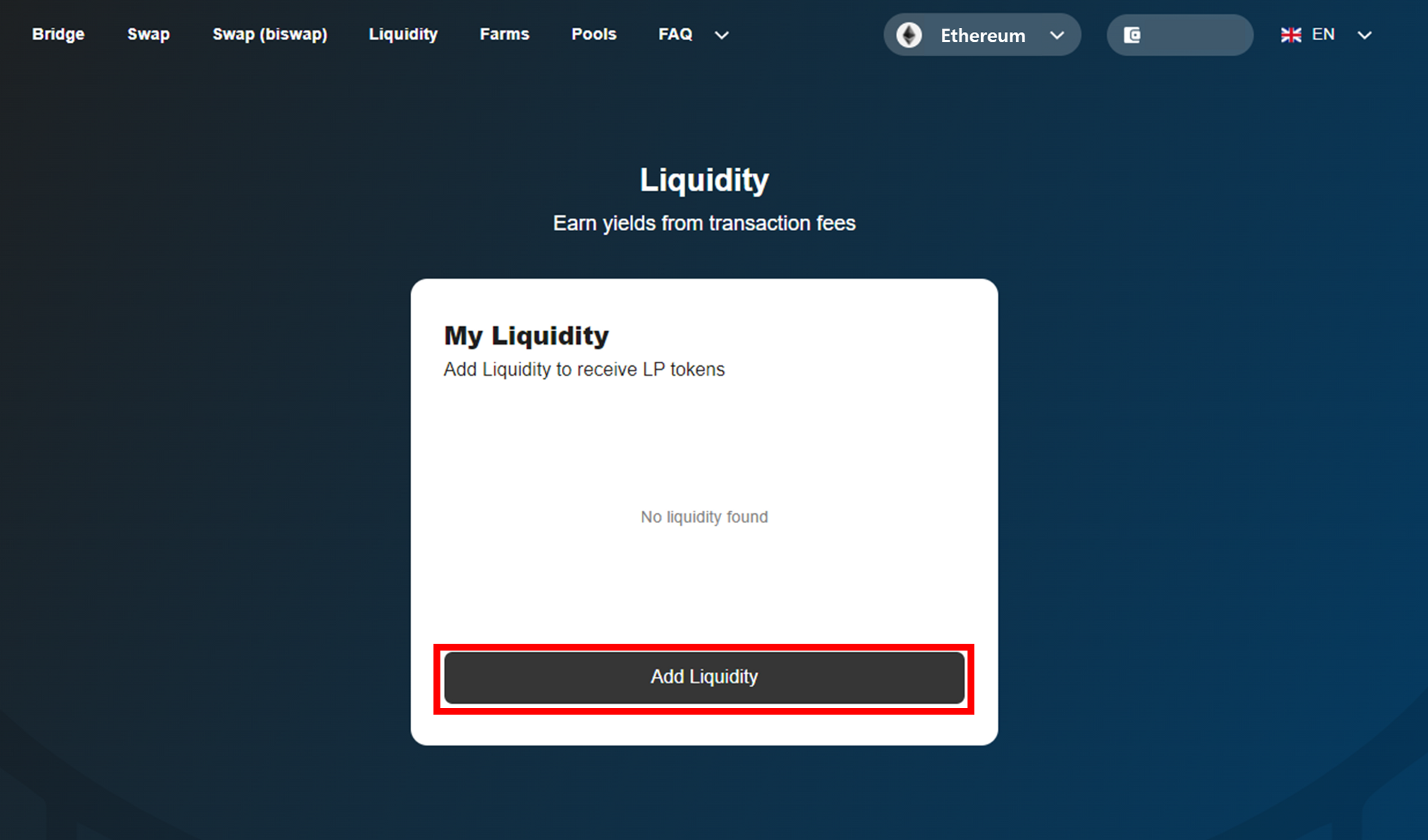
③ Click **\[Add Liquidity]** button.

<figure><img src="https://content.gitbook.com/content/QtGcg1a5smM2WOcc0Ti3/blobs/lleS7kDb2Aq2XQRFUnLf/image.png" alt=""><figcaption></figcaption></figure>

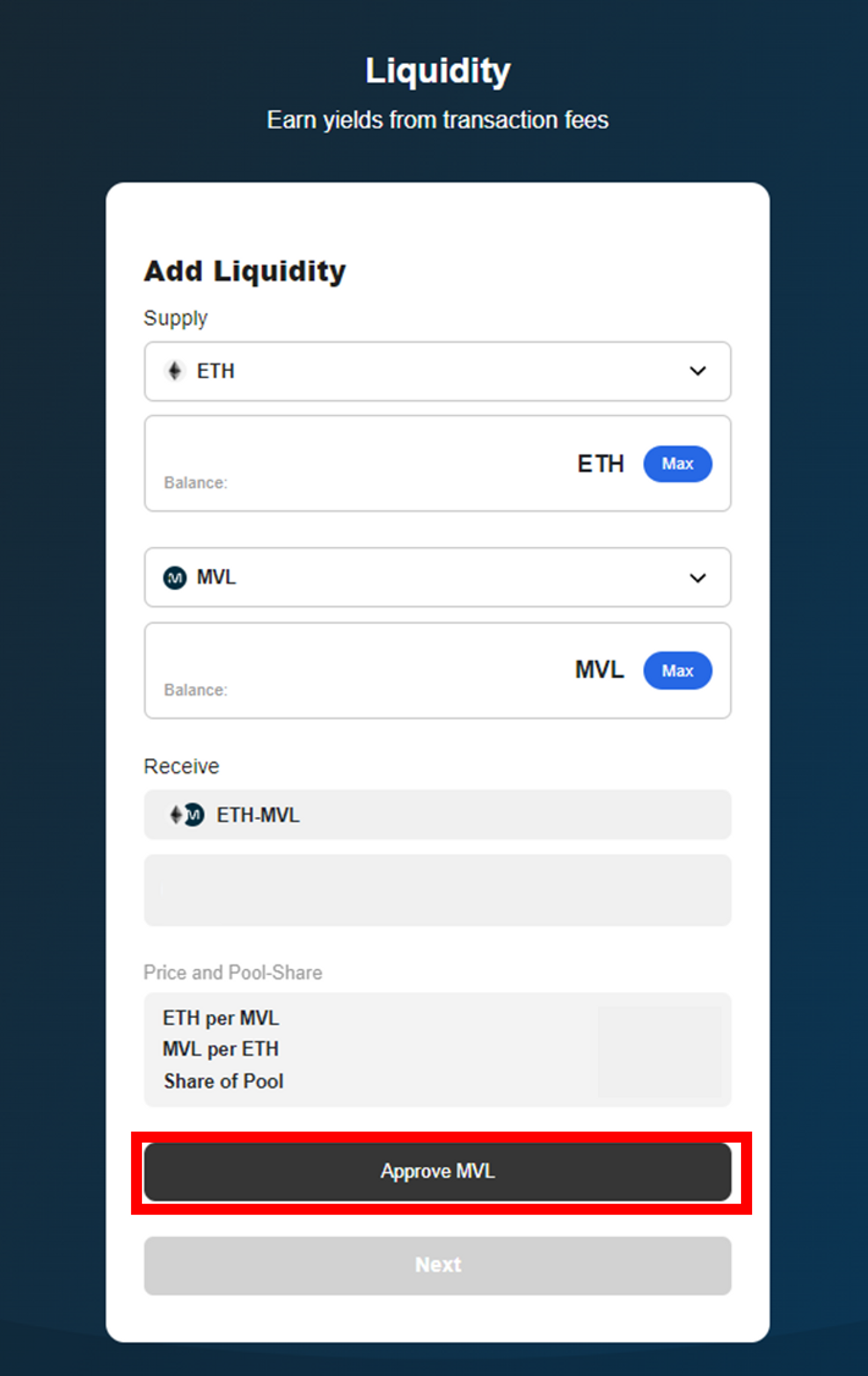
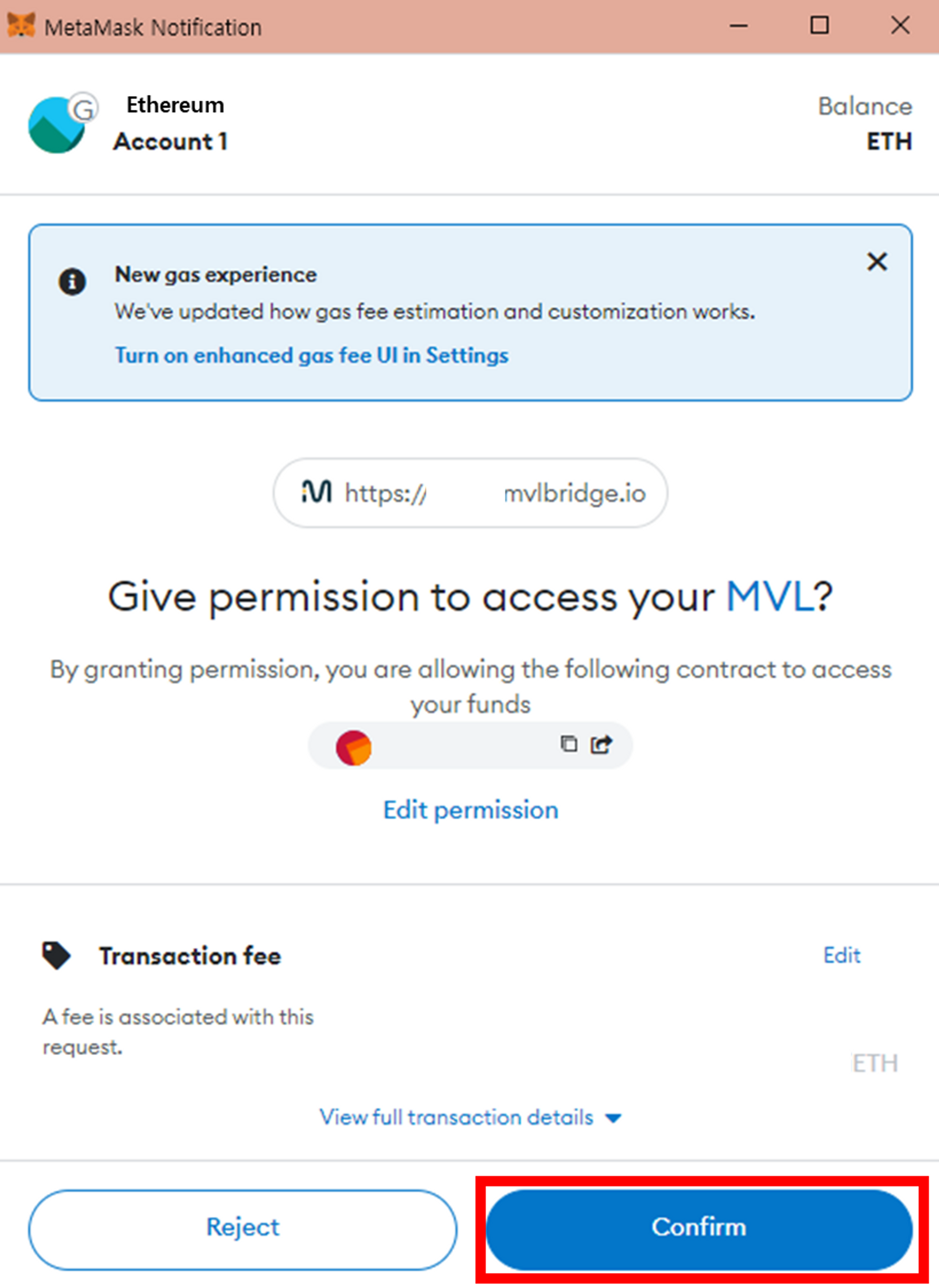
④ Enter the amount of ETH and MVL in the proportion of 1:1 and check the amount of LP tokens you will receive. Once checked, click **\[Approve MVL]** button.
![](https://content.gitbook.com/content/QtGcg1a5smM2WOcc0Ti3/blobs/U5j9lWP8oeSWLE1unexX/image.png)

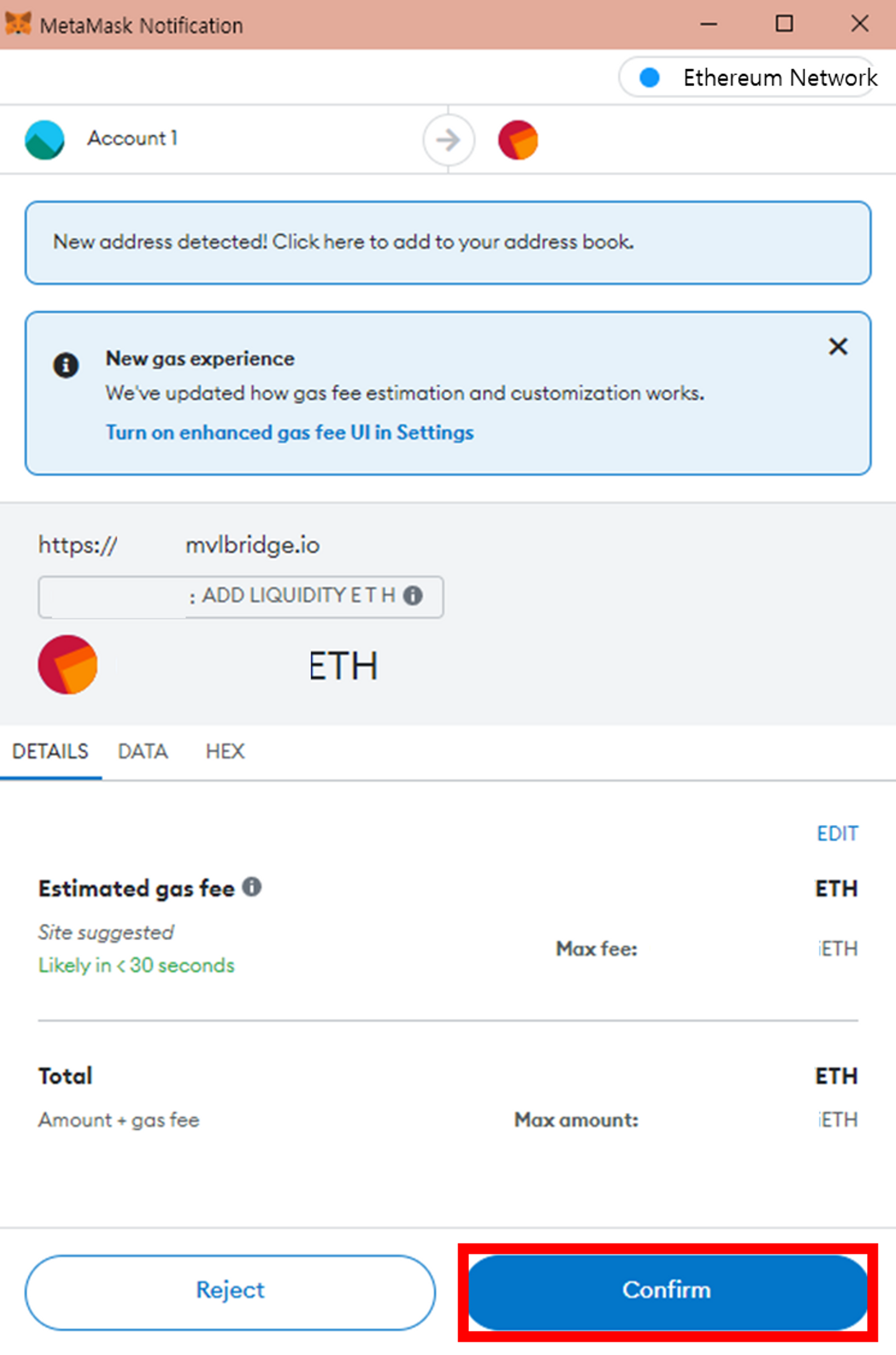
⑤ Your wallet will now ask to confirm the action. Once you have checked the estimated Gas Fee and related information, Click **\[Confirm]** button.

(<mark style="color:red;">**If you do not have enough ETH, please purchase ETH through an exchange.**</mark>)

<figure><img src="https://content.gitbook.com/content/QtGcg1a5smM2WOcc0Ti3/blobs/2qEHs24n79VunQqkXtqM/image.png" alt=""><figcaption></figcaption></figure>

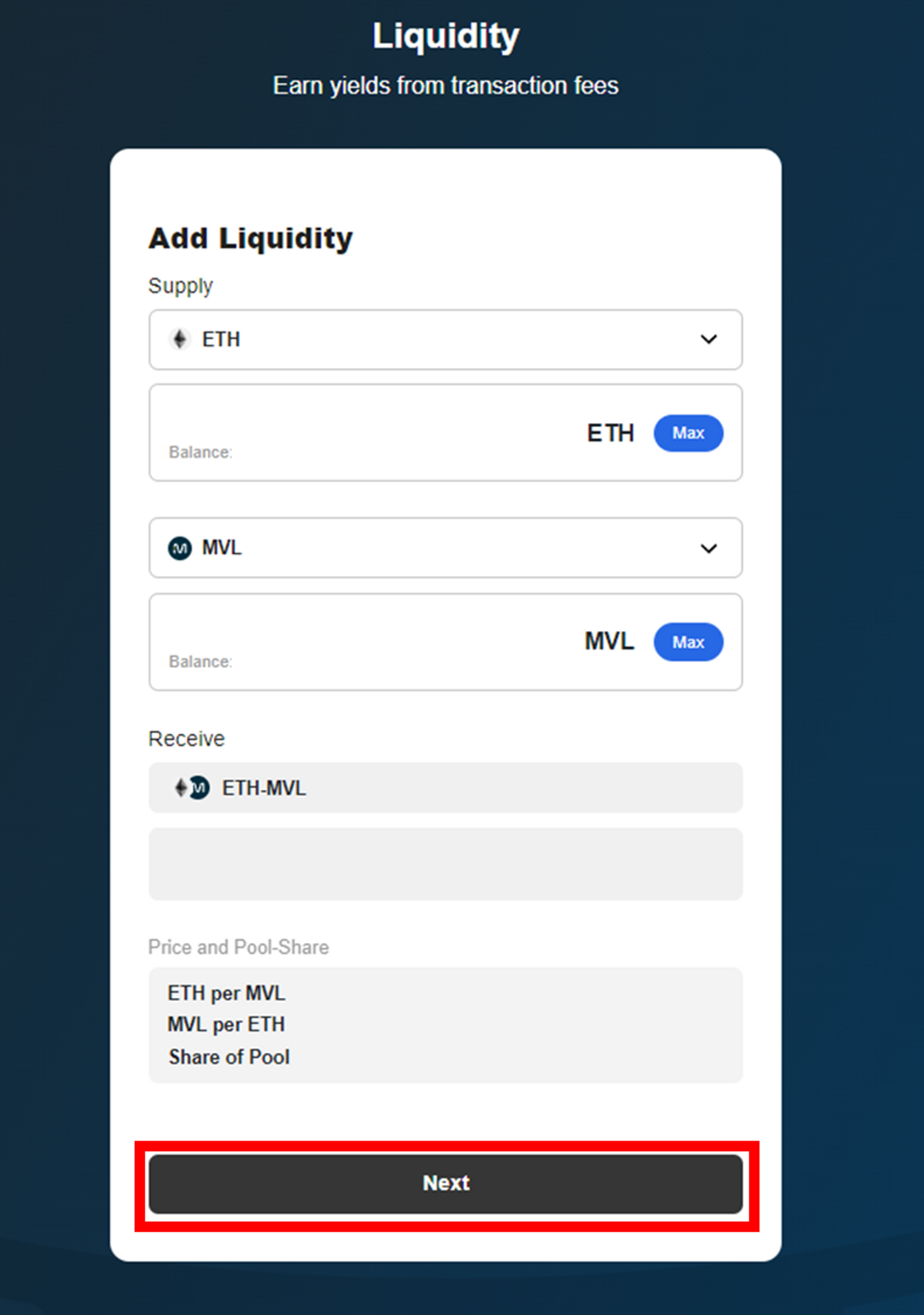
⑥ Check the amount of LP token you will receive and ETH/MVL you supplied, then click the **\[Next]** button.

<figure><img src="https://content.gitbook.com/content/QtGcg1a5smM2WOcc0Ti3/blobs/iansqr25WZjkZM9JTnNE/image.png" alt=""><figcaption></figcaption></figure>

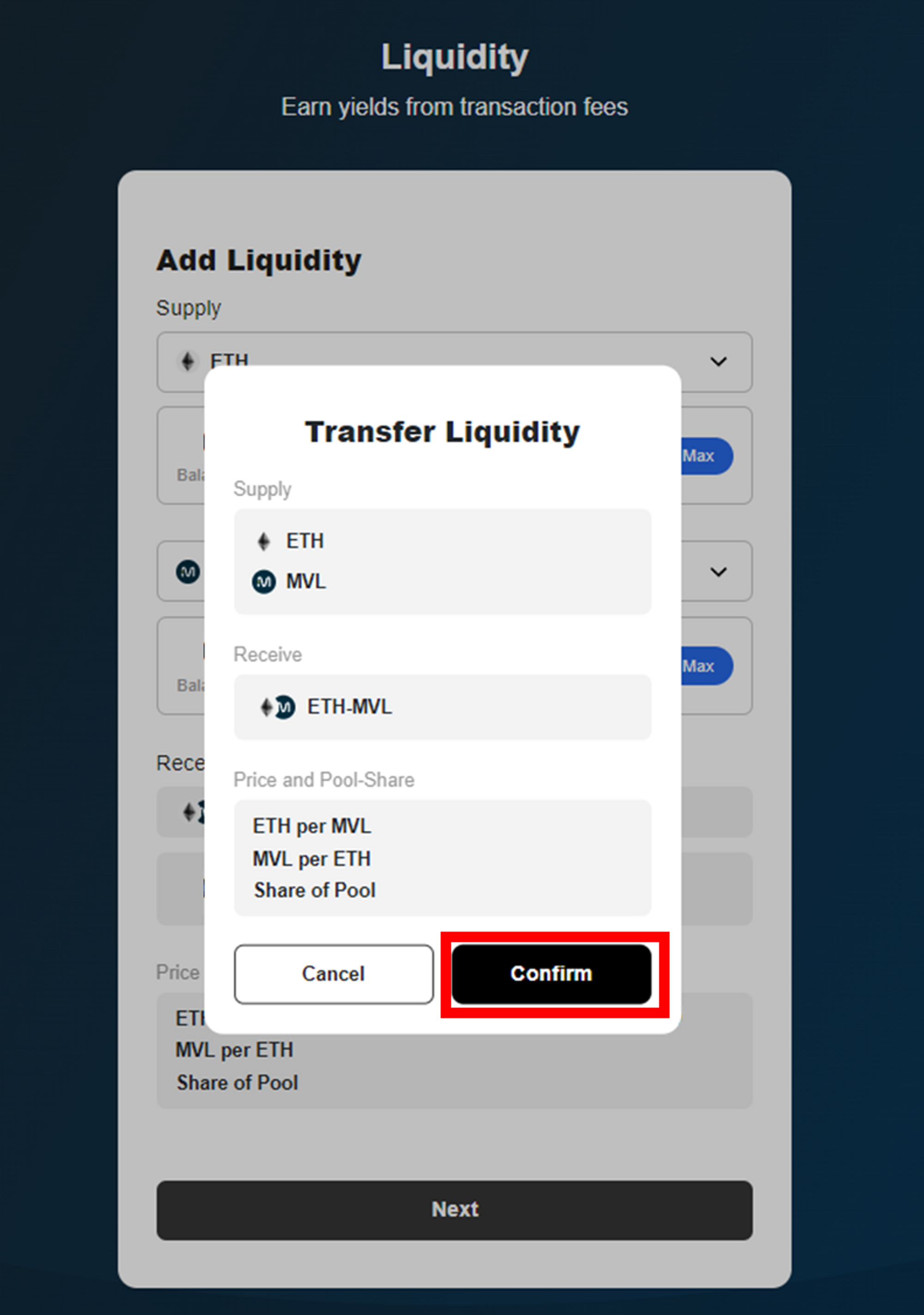
⑦ Click the **\[Confirm]** button.

![](https://content.gitbook.com/content/QtGcg1a5smM2WOcc0Ti3/blobs/anLP5aV9qgo7qlck7K6N/image.png)

⑧ Check the transaction details then click the **\[Confirm]** button.

<figure><img src="https://content.gitbook.com/content/QtGcg1a5smM2WOcc0Ti3/blobs/SAxyxAfqTBFfL2GmgNEX/image.png" alt=""><figcaption></figcaption></figure>

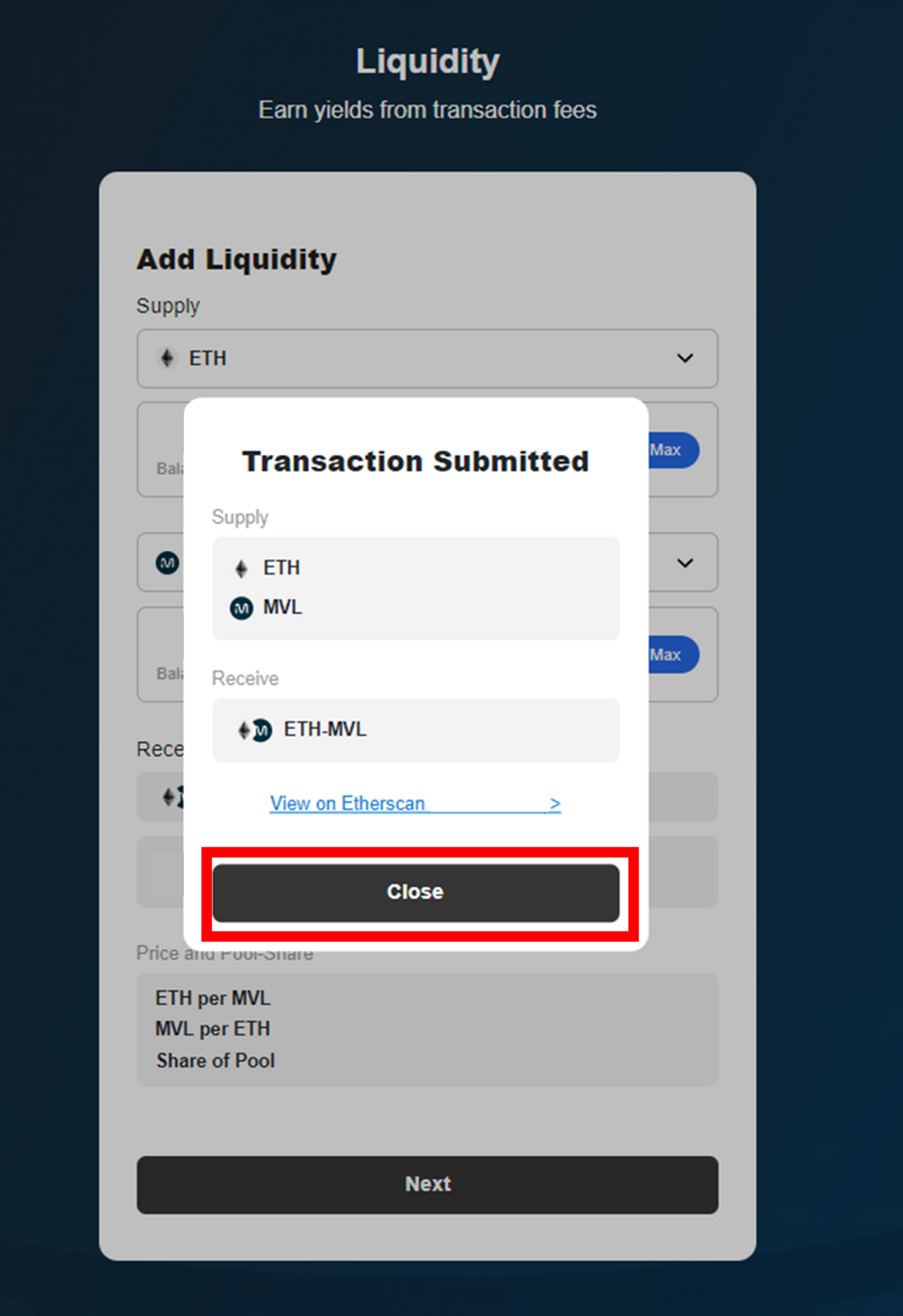
⑨ Check the transaction details then click the **\[Close]** button.

<figure><img src="https://content.gitbook.com/content/QtGcg1a5smM2WOcc0Ti3/blobs/3sjgQ5jAR0BbER5i80jh/image.png" alt=""><figcaption></figcaption></figure>

<figure><img src="https://content.gitbook.com/content/QtGcg1a5smM2WOcc0Ti3/blobs/Lr48KRUsA9BUNjQCgJ2s/image.png" alt=""><figcaption></figcaption></figure>

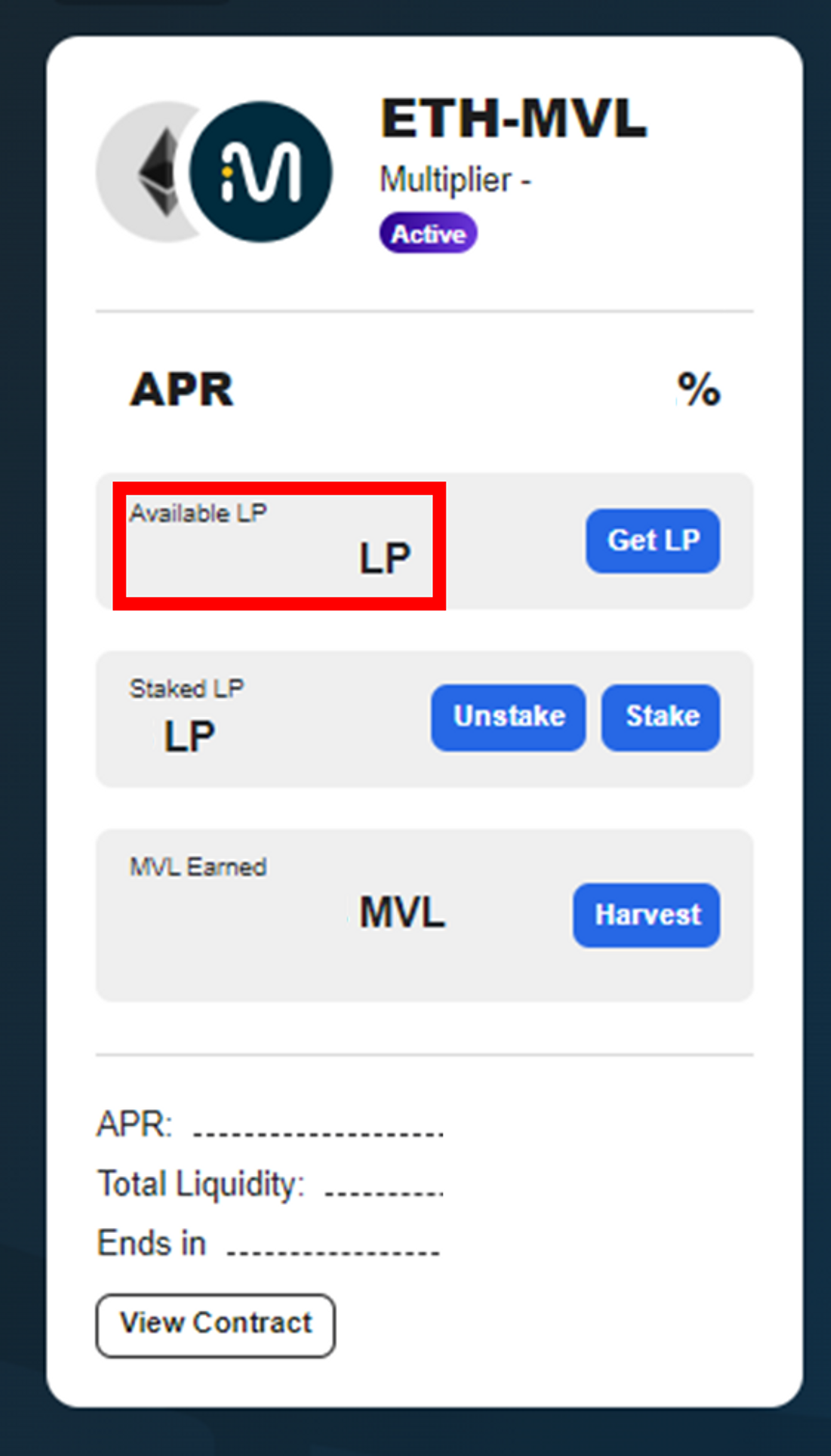
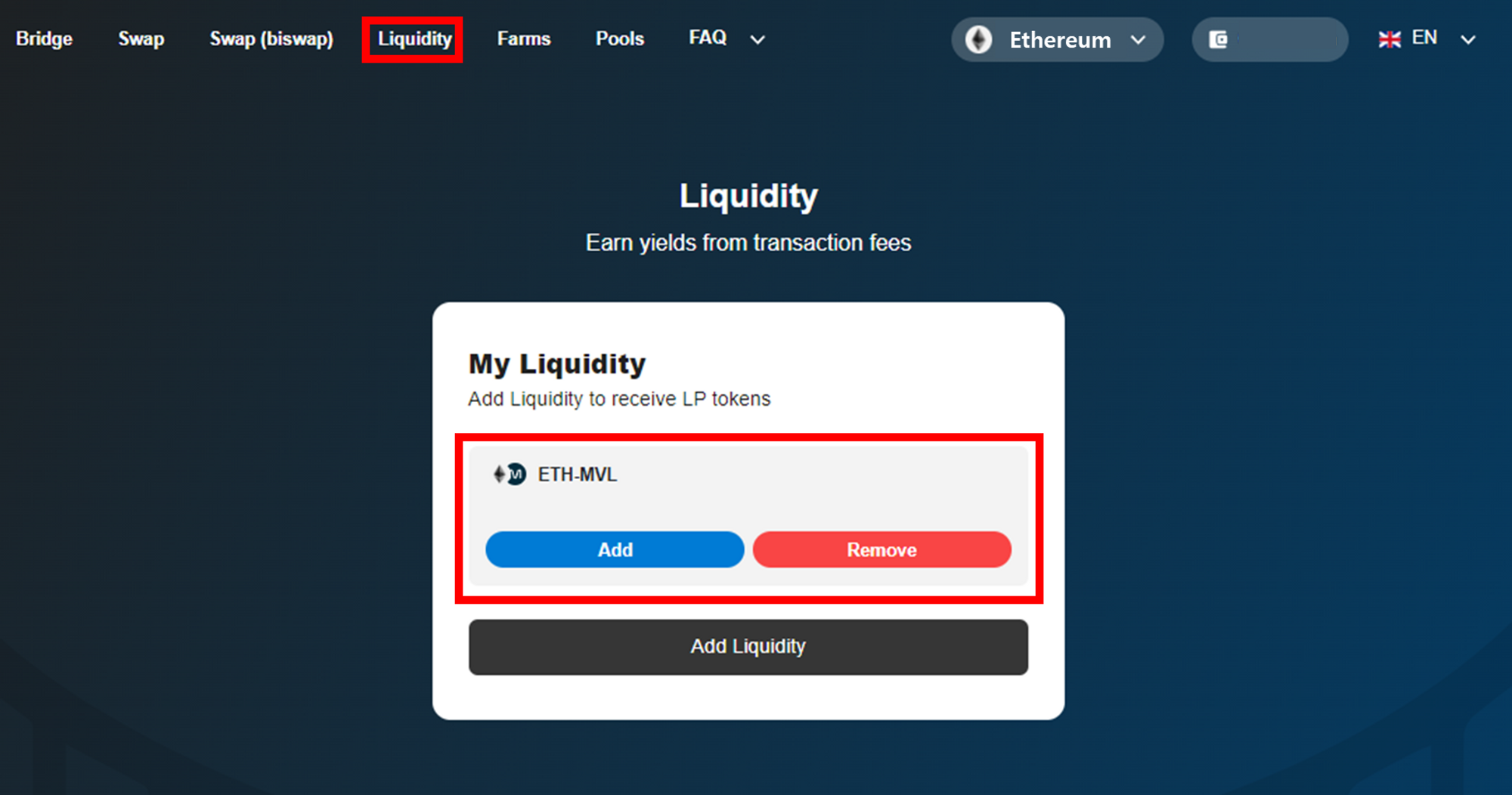
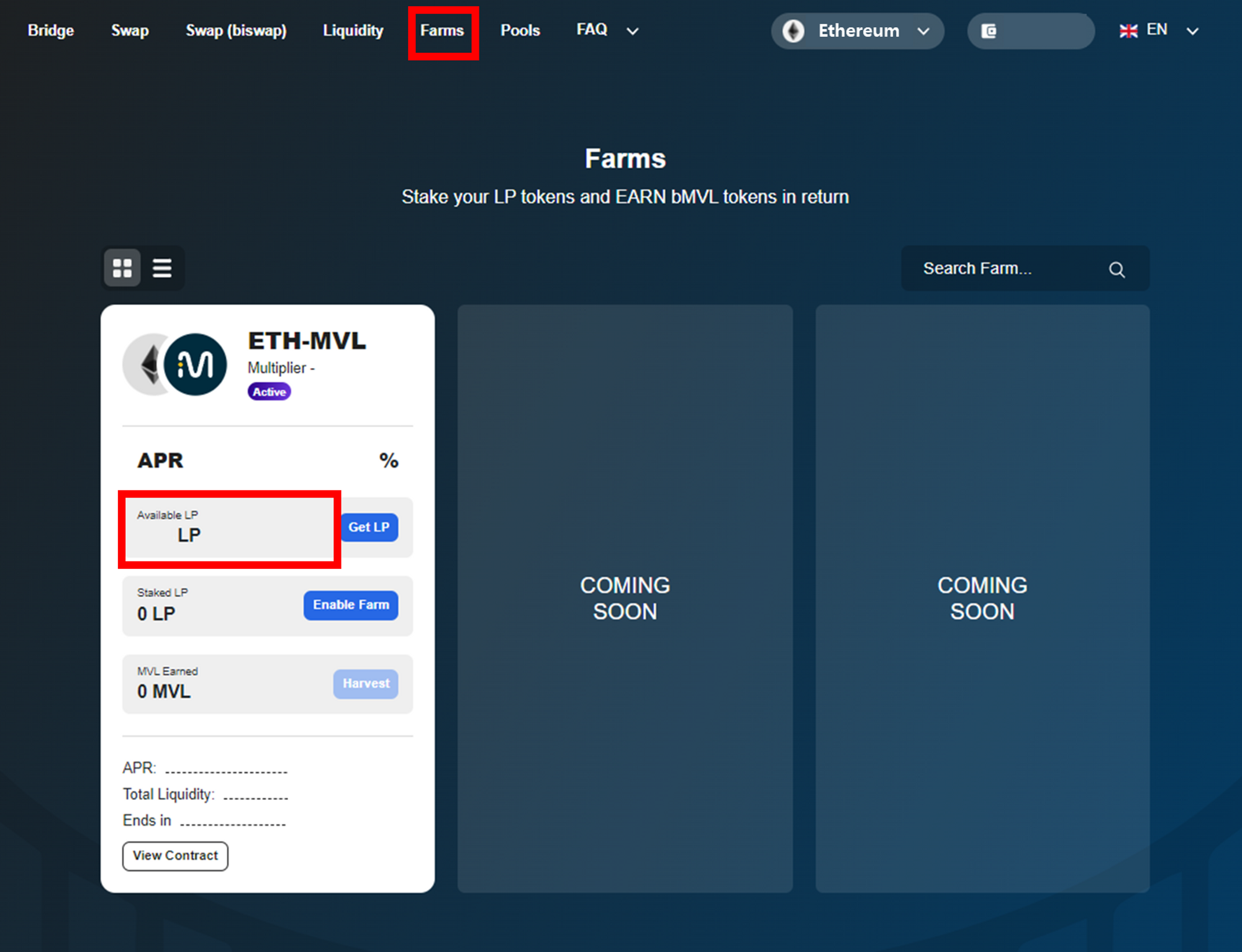
⑩ Once getting LP tokens is successfully completed, you can check your ETH-MVL LP tokens through **\[Liquidity]** Page → ‘**My Liquidity**’, and ‘**Available LP**’ on **\[Farms]** page.

## Adding your LP Tokens into Farms

<figure><img src="https://content.gitbook.com/content/QtGcg1a5smM2WOcc0Ti3/blobs/xtPDDdB9PYkURoyYvHWf/image.png" alt=""><figcaption></figcaption></figure>

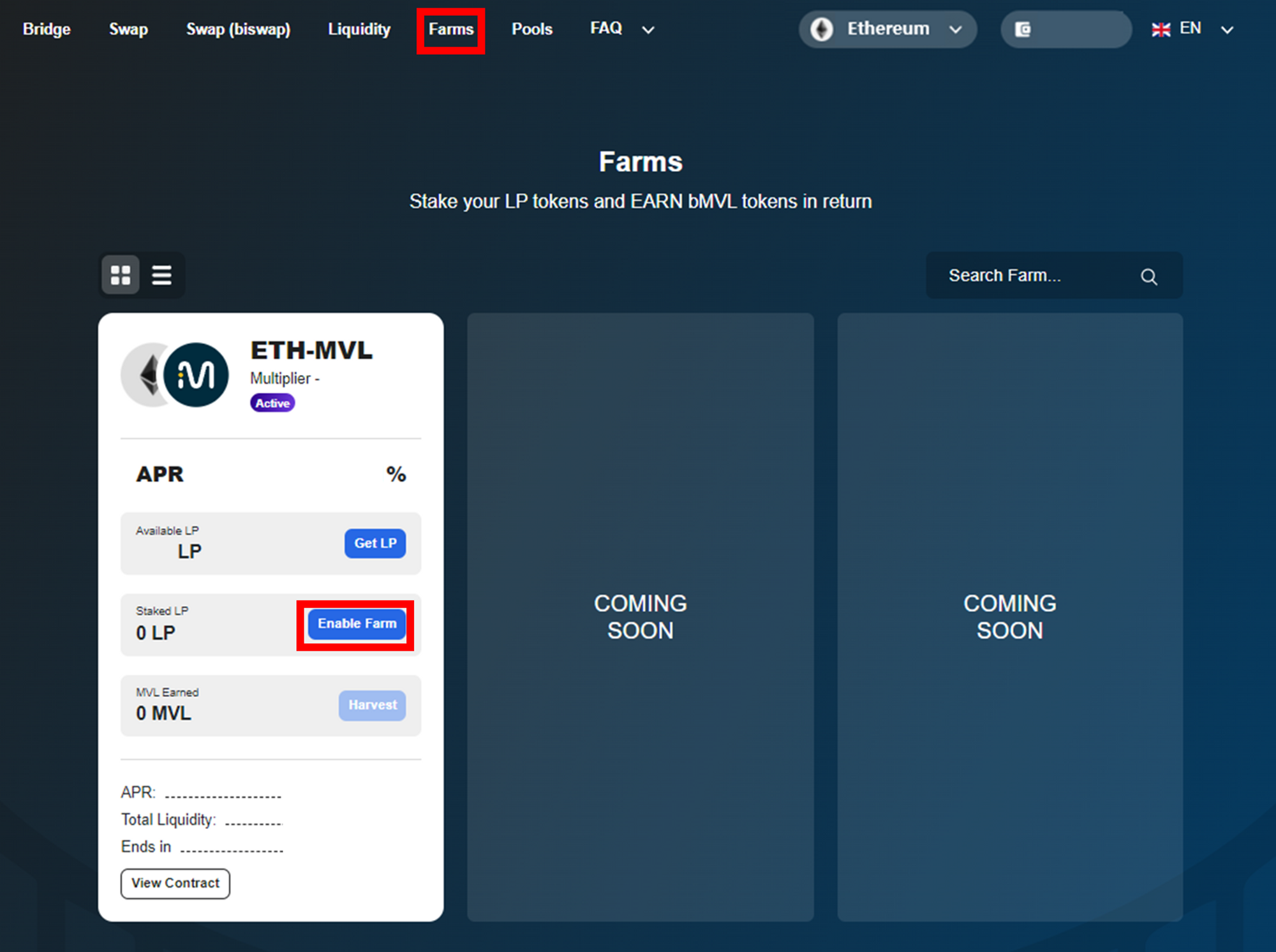
① Click **\[Enable Farms]** on the **\[Farms]** tab
![](https://content.gitbook.com/content/QtGcg1a5smM2WOcc0Ti3/blobs/2lkEeazLKOg5AzNxYThy/image.png)

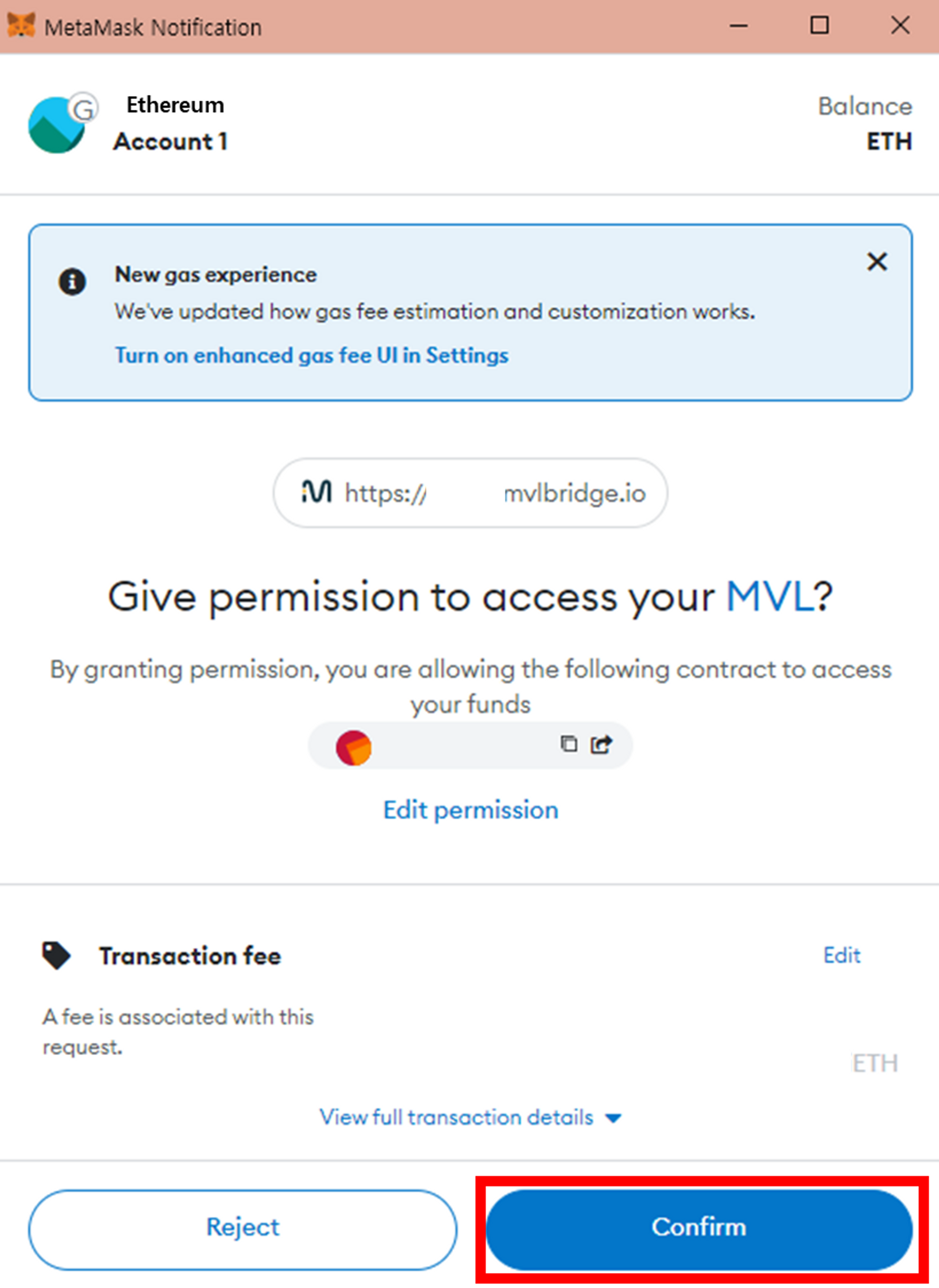
② Your Metamask wallet will now ask you to confirm the action. Once you have checked the estimated Gas fee, Click **\[Confirm]** button.
![](https://content.gitbook.com/content/QtGcg1a5smM2WOcc0Ti3/blobs/DvSRFx6ktsNAQT2nNevw/image.png)

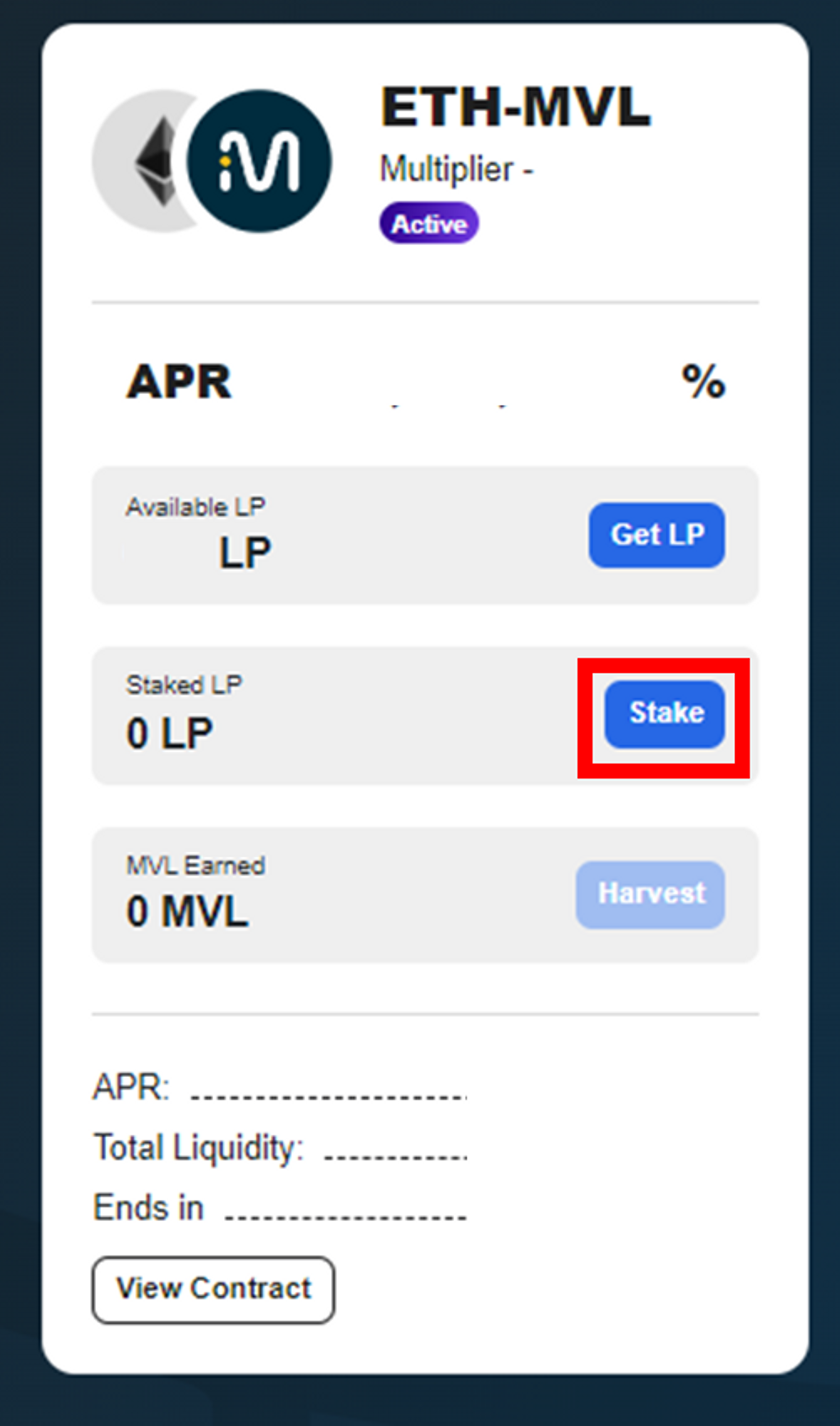
③ You can see that the **\[Enable Farm]** button has changed to **\[Stake]**. Click the **\[Stake]** button to stake your LP tokens.

<figure><img src="https://content.gitbook.com/content/QtGcg1a5smM2WOcc0Ti3/blobs/45R6bTrbicbwDRHhisfp/image.png" alt=""><figcaption></figcaption></figure>

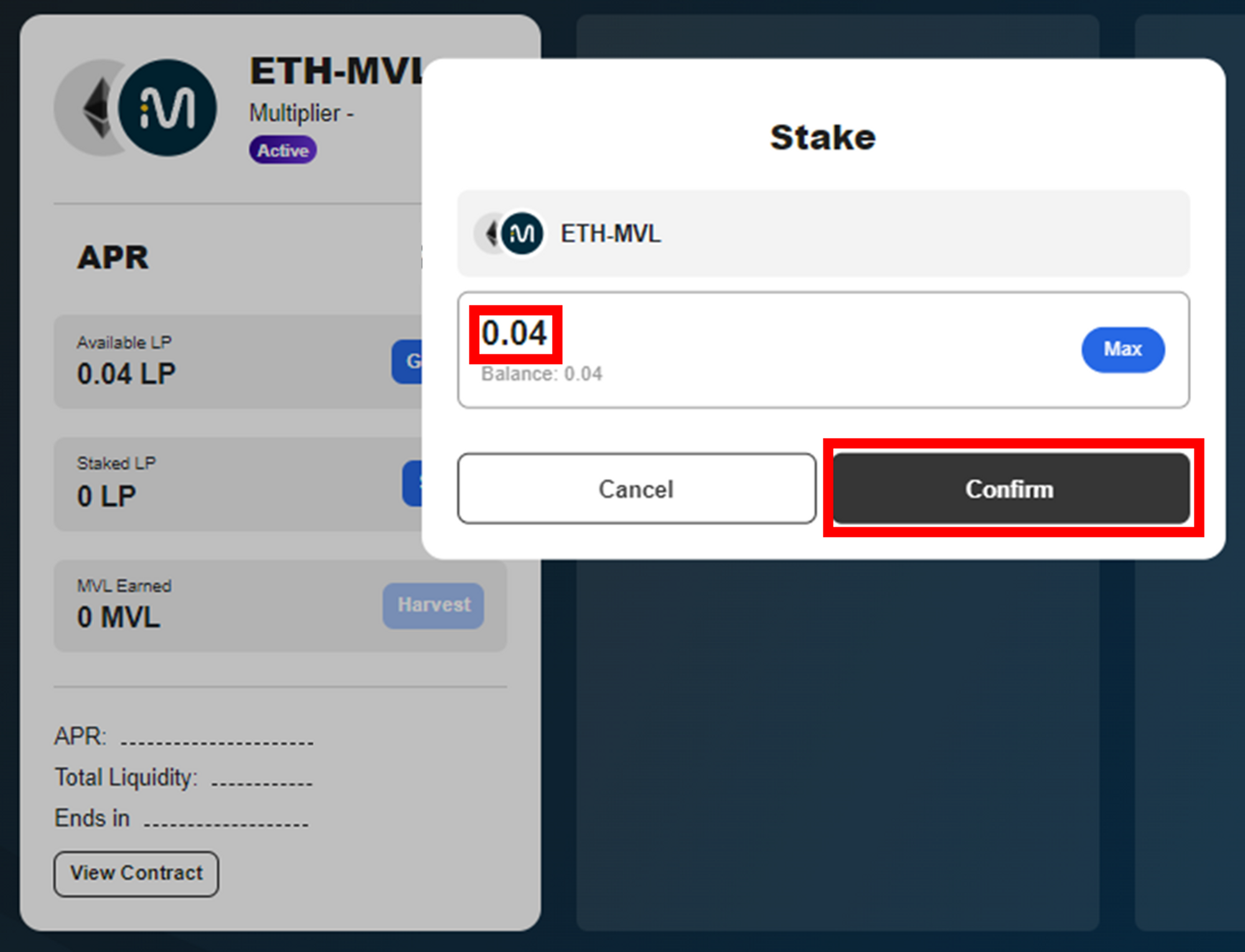
④ Enter the amount of LP tokens you wish to stake. Then click the **\[Confirm]** button.
![](https://content.gitbook.com/content/QtGcg1a5smM2WOcc0Ti3/blobs/pbRCj68T7lODjFZZZscR/image.png)

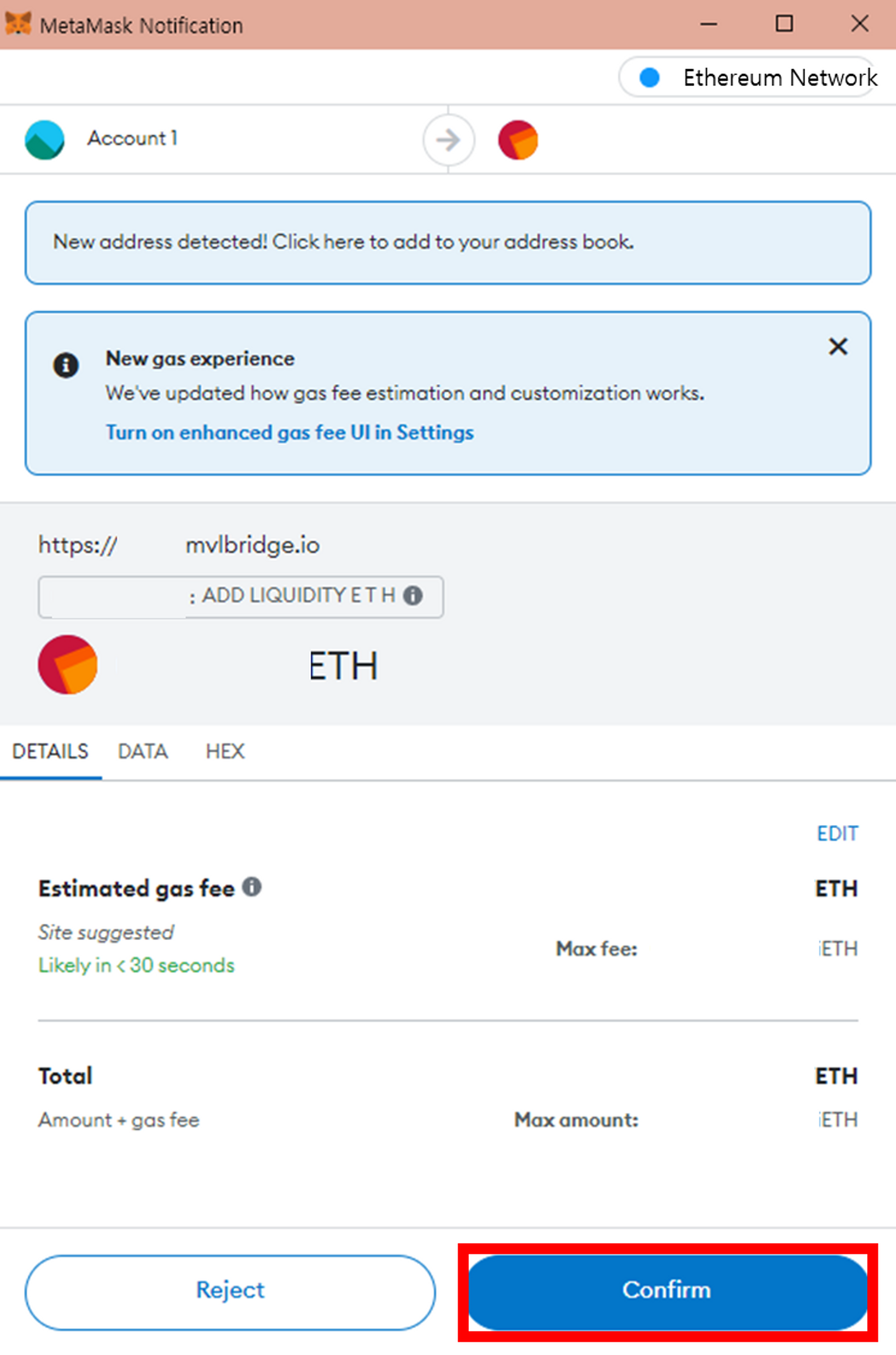
⑤ Your Metamask wallet will now ask you to confirm the action. Check the estimated gas fee and click the **\[Confirm]** button.

<figure><img src="https://content.gitbook.com/content/QtGcg1a5smM2WOcc0Ti3/blobs/5ubGUzeE5W2gQ4v65zvy/image.png" alt=""><figcaption></figcaption></figure>

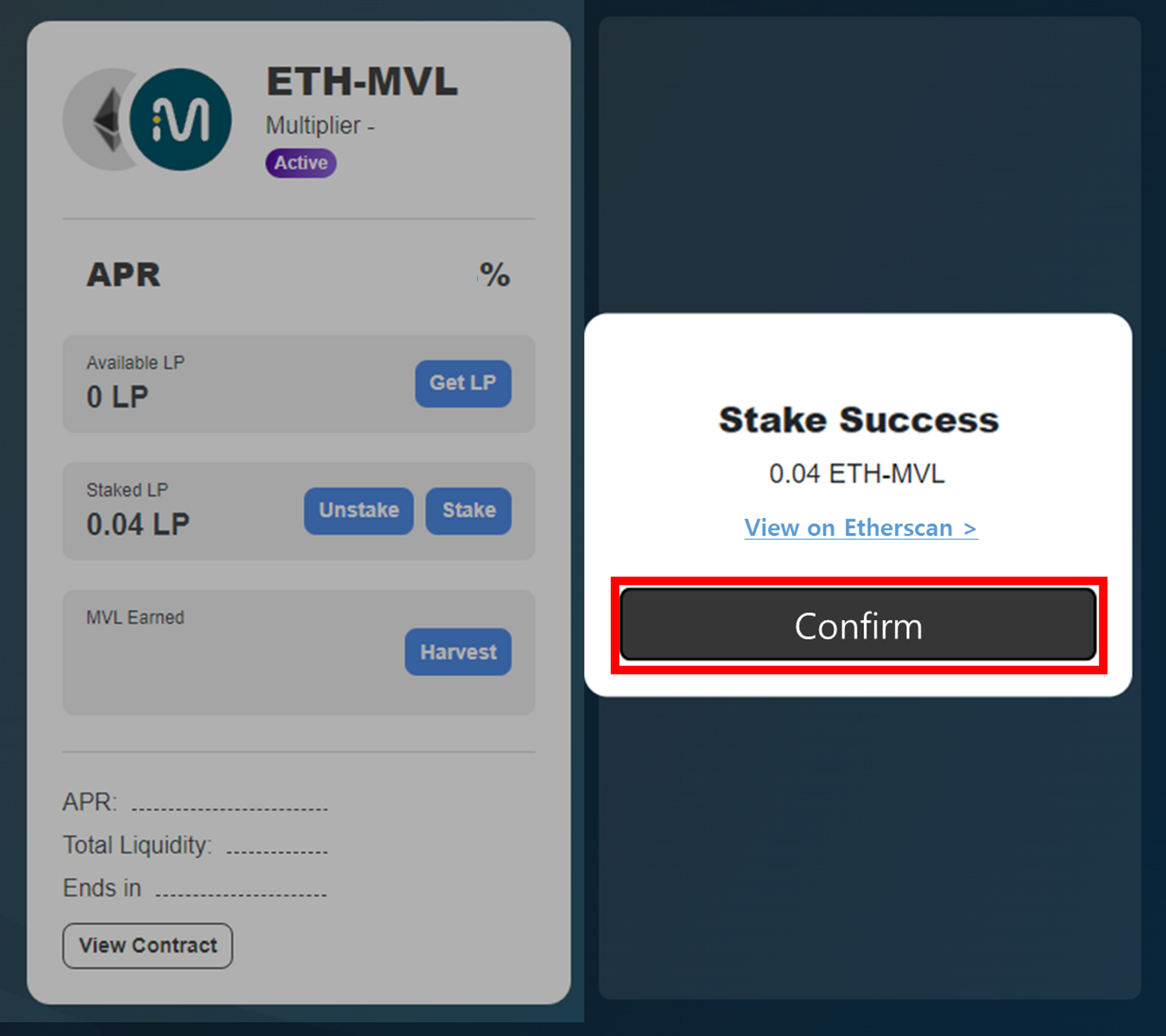
⑥ Click the **\[Confirm]** button

![](https://content.gitbook.com/content/QtGcg1a5smM2WOcc0Ti3/blobs/ey70Z6xtSbeO8Uc9ihYx/image.png)

⑦ Once you successfully staked LP tokens, you can see MVL being distributed in live.

## Withdrawing from LP Staking in progress

### Harvesting the rewards
![](https://content.gitbook.com/content/QtGcg1a5smM2WOcc0Ti3/blobs/iFGYZOtXGt7byGcPSscc/image.png)

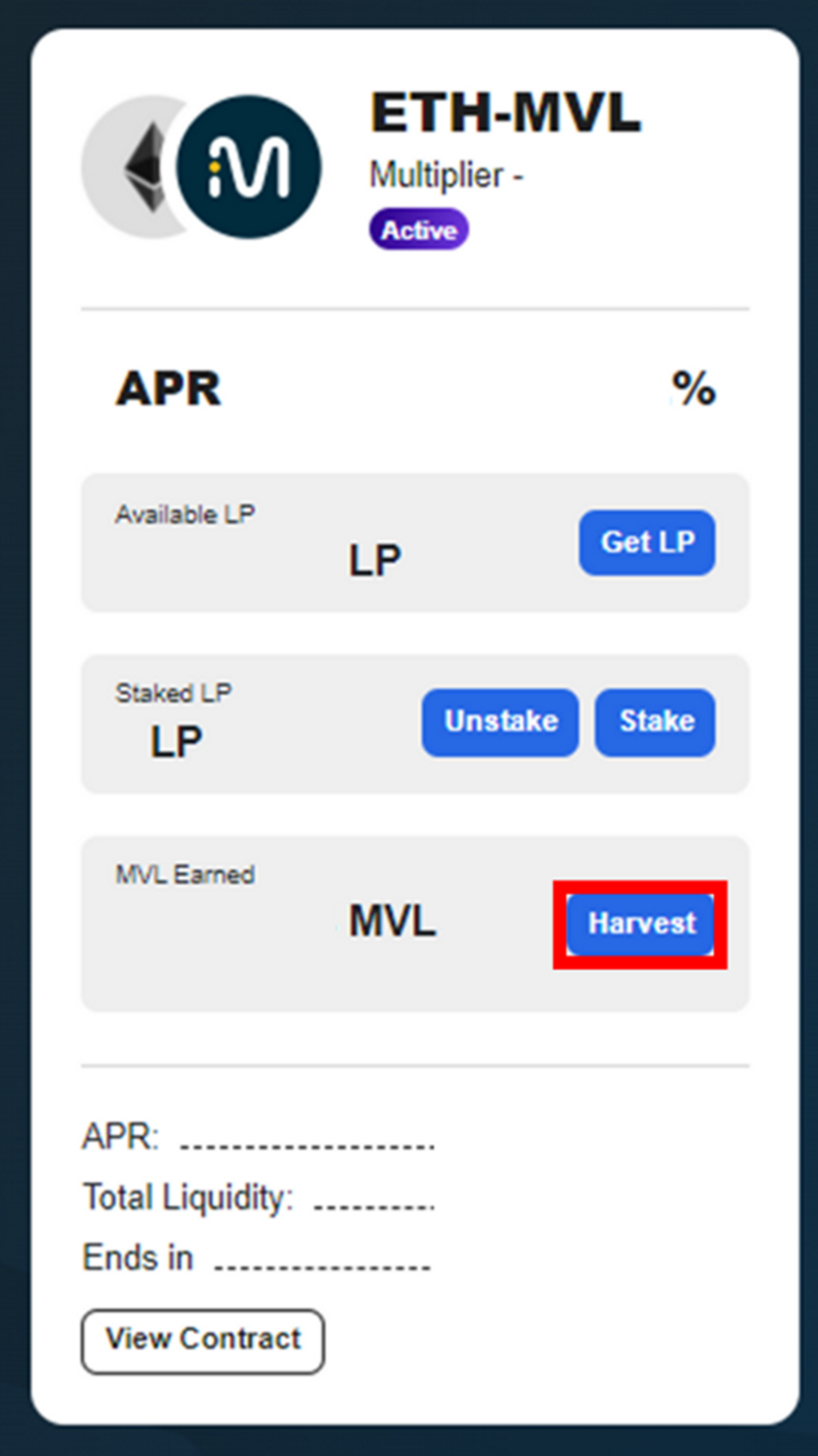
① Click the **\[Harvest]** button to withdraw MVL leftover on the farm.
![](https://content.gitbook.com/content/QtGcg1a5smM2WOcc0Ti3/blobs/HR8cbMJ2VHIvROBWvA7J/image.png)

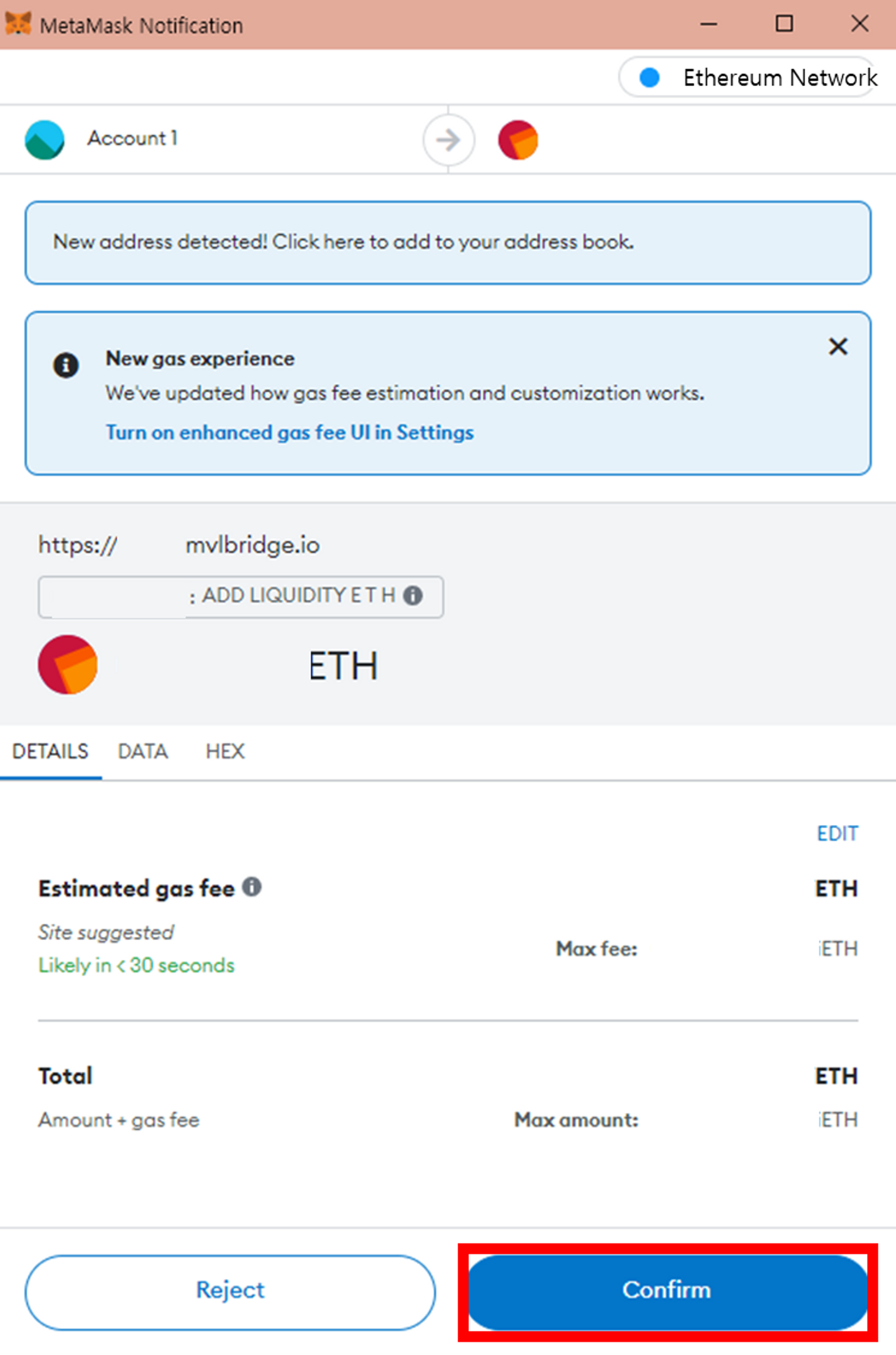
② Check the estimated gas fee and click the **\[Confirm]** button.

<figure><img src="https://content.gitbook.com/content/QtGcg1a5smM2WOcc0Ti3/blobs/NmDtHSuXaQwmmb6CadrK/image.png" alt=""><figcaption></figcaption></figure>

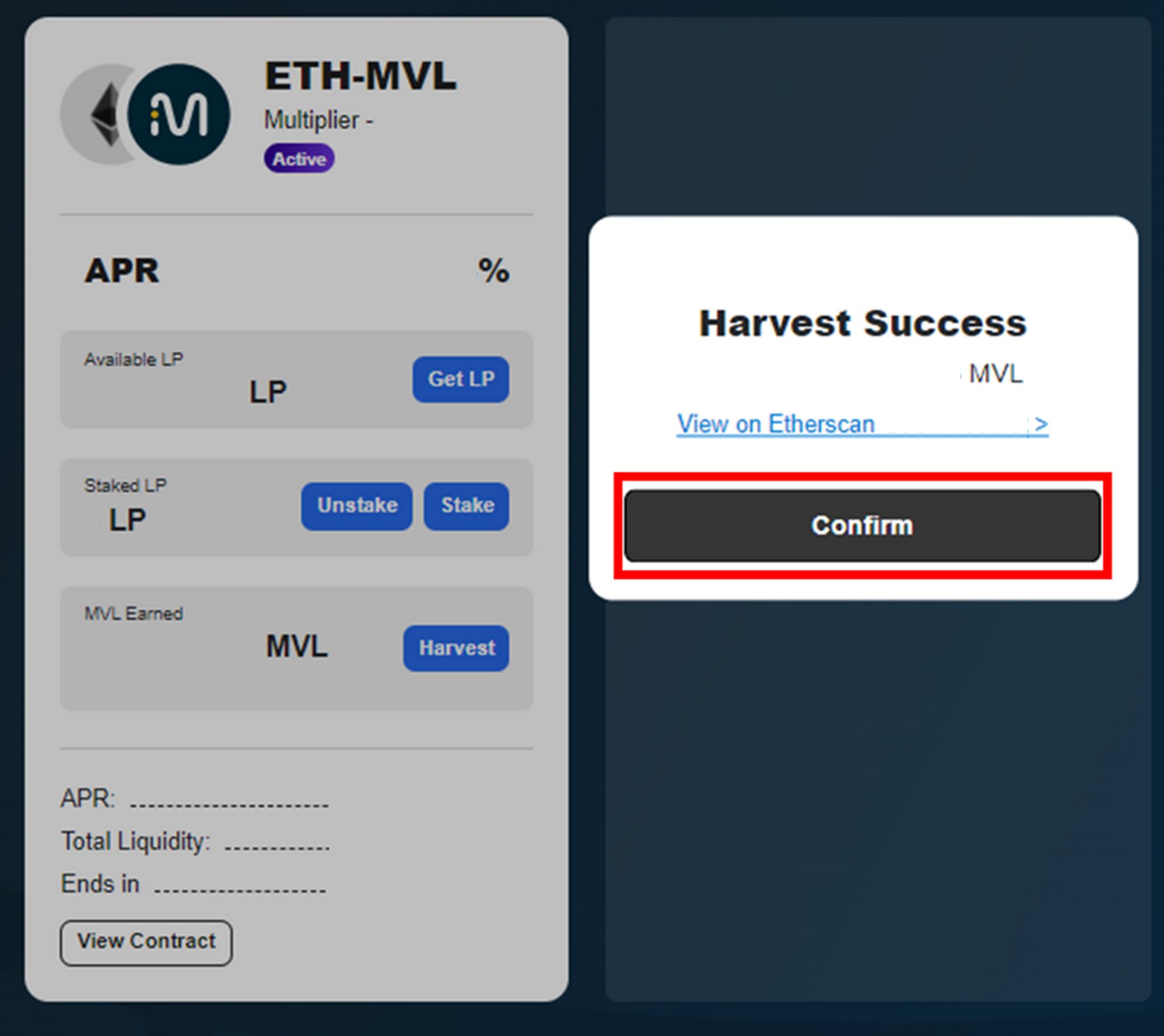
③ Click **\[Confirm]** button. You can check the transaction details on **\[View on Etherscan]**.

<figure><img src="https://content.gitbook.com/content/QtGcg1a5smM2WOcc0Ti3/blobs/CJiqH84JmsGgi7wuipyH/image.png" alt=""><figcaption></figcaption></figure>

<figure><img src="https://content.gitbook.com/content/QtGcg1a5smM2WOcc0Ti3/blobs/1FHvQVSu1u7Gx7ED4Dj8/image.png" alt=""><figcaption></figcaption></figure>

<figure><img src="https://content.gitbook.com/content/QtGcg1a5smM2WOcc0Ti3/blobs/o4ckRpiC15W3I0lWWYnt/image.png" alt=""><figcaption></figcaption></figure>

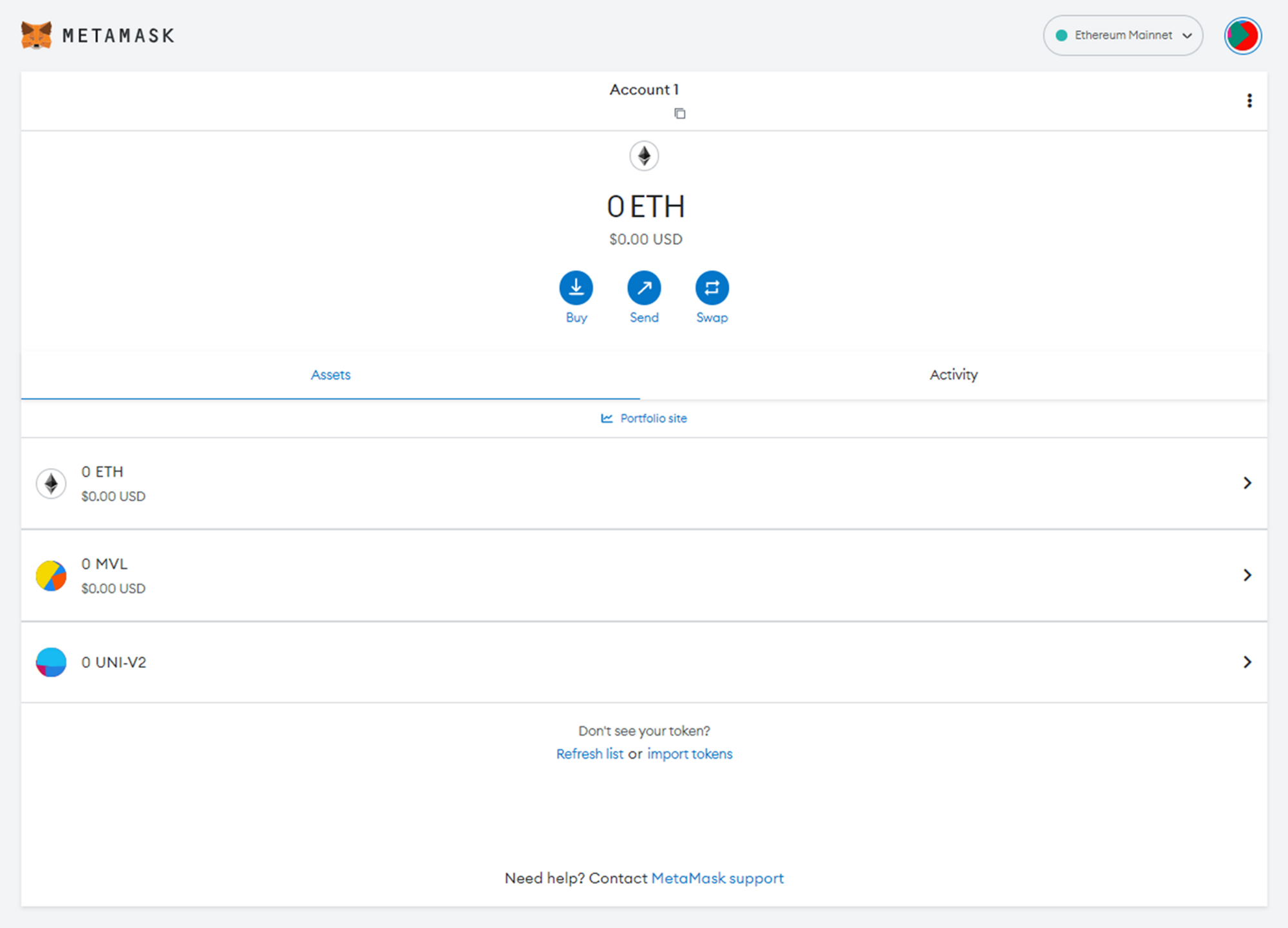
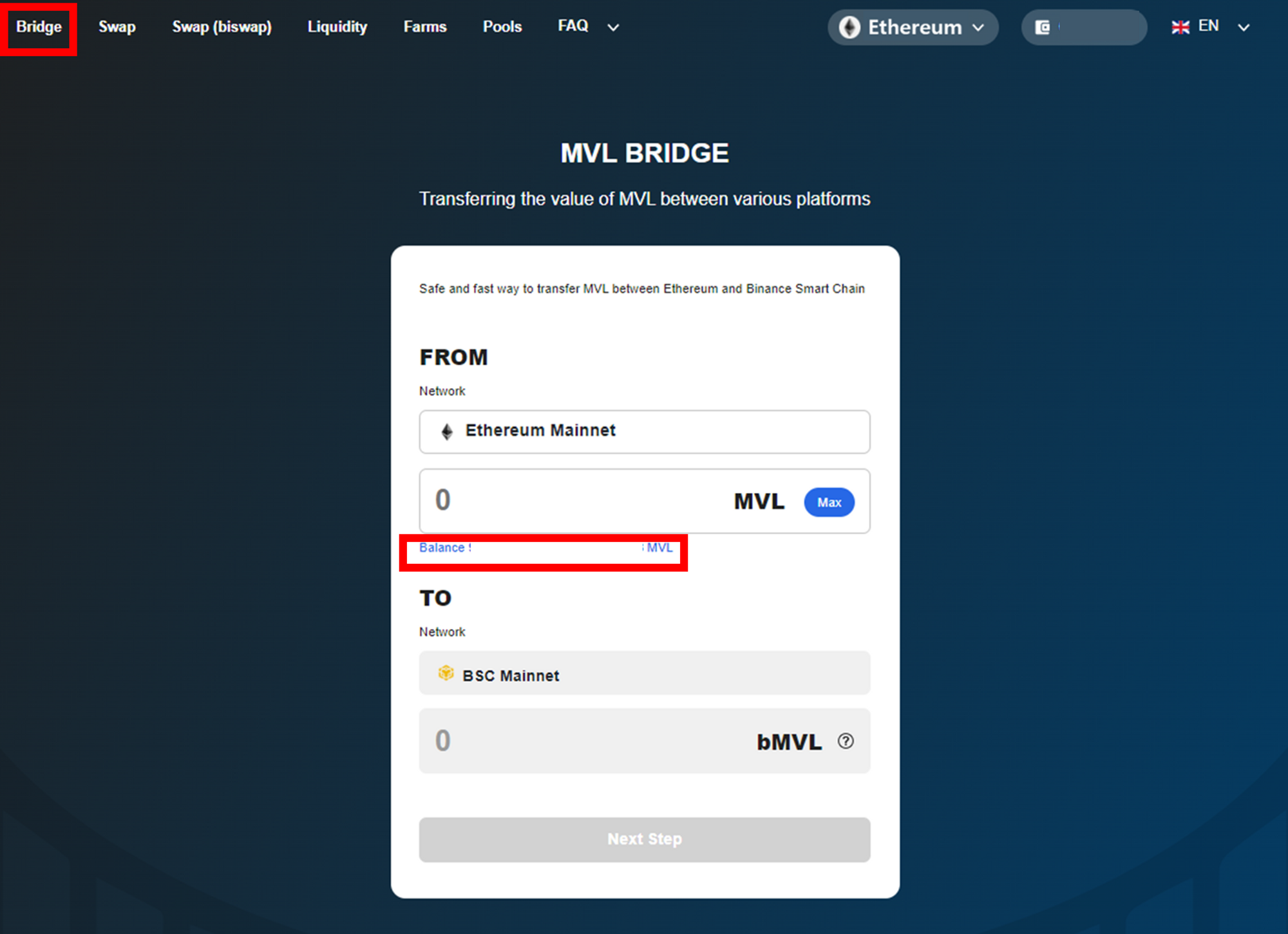
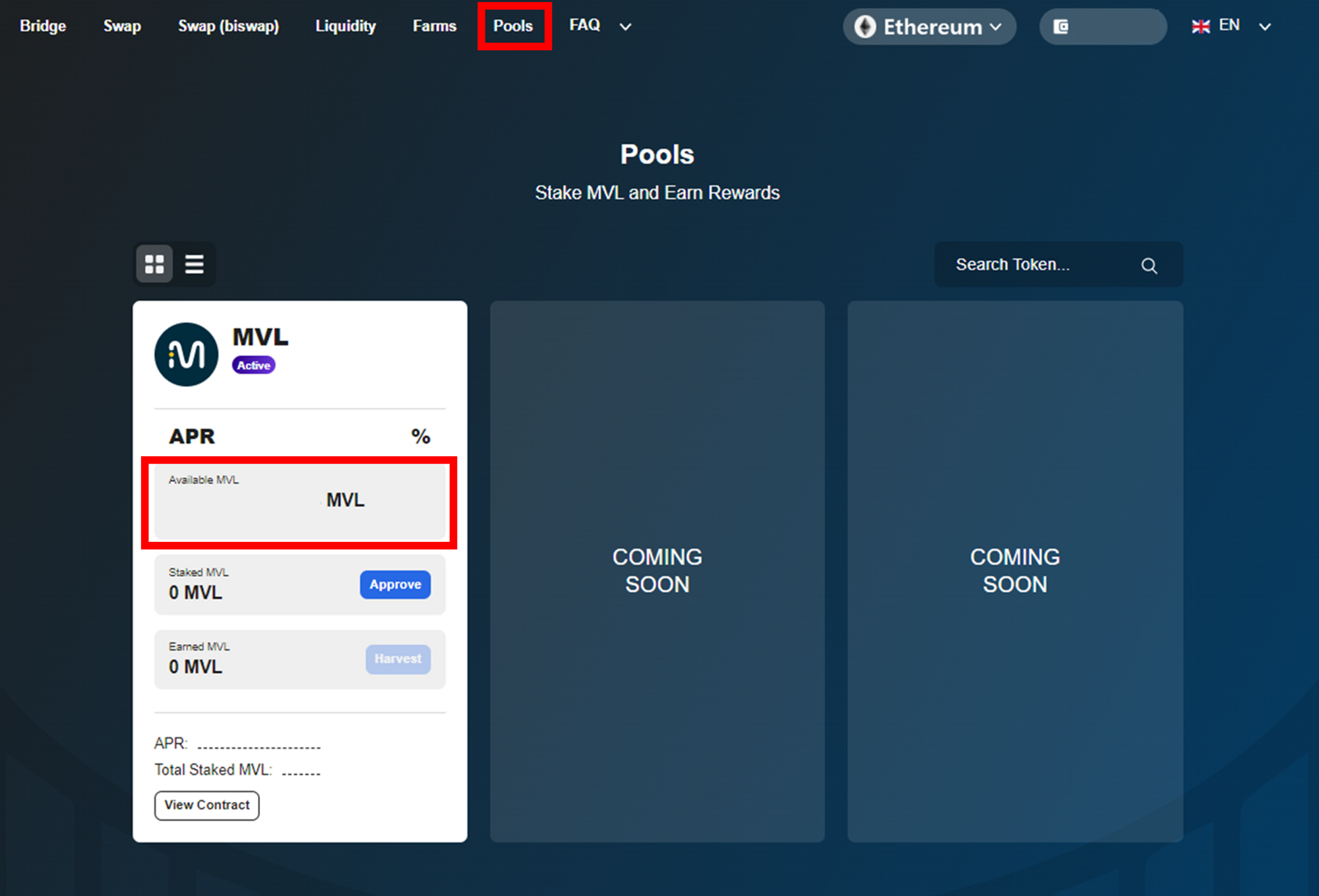
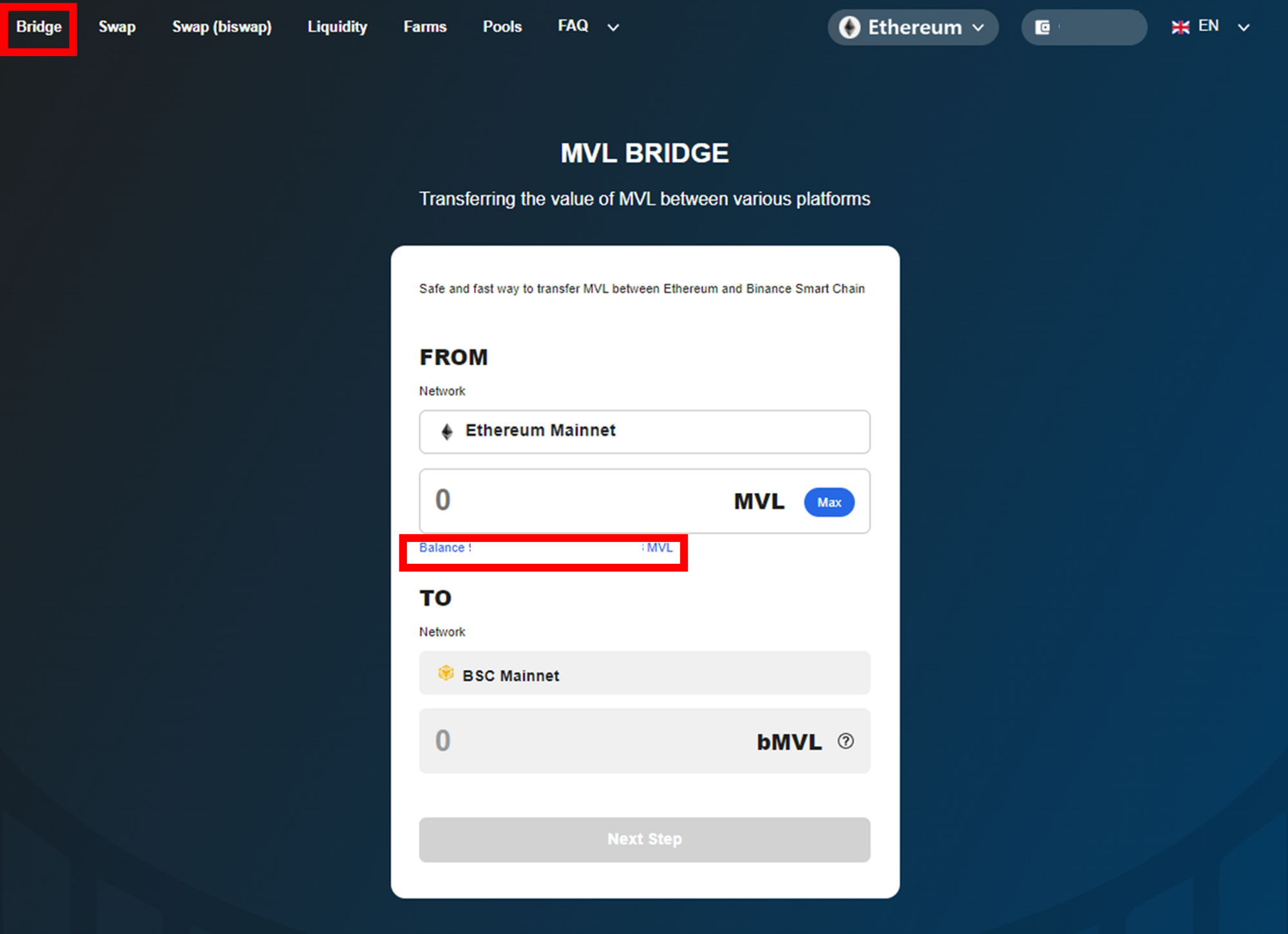
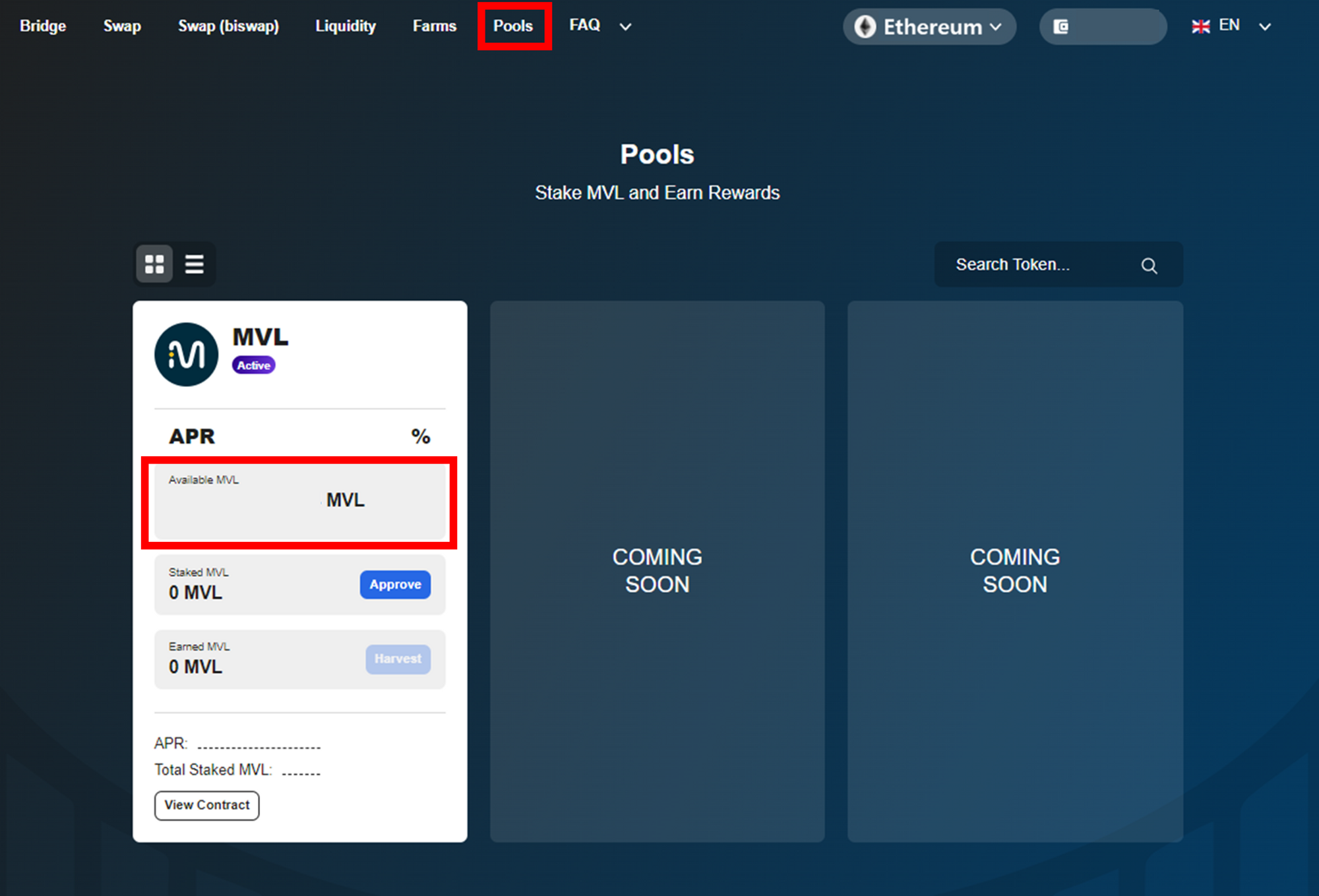
④ You can check your harvested MVL on Metamask wallet, **\[Bridge]** tab, and **\[Pools]** tab.

### Unstaking LP Tokens

<figure><img src="https://content.gitbook.com/content/QtGcg1a5smM2WOcc0Ti3/blobs/w9m6Z04Oo2oKxZV2tTld/image.png" alt=""><figcaption></figcaption></figure>

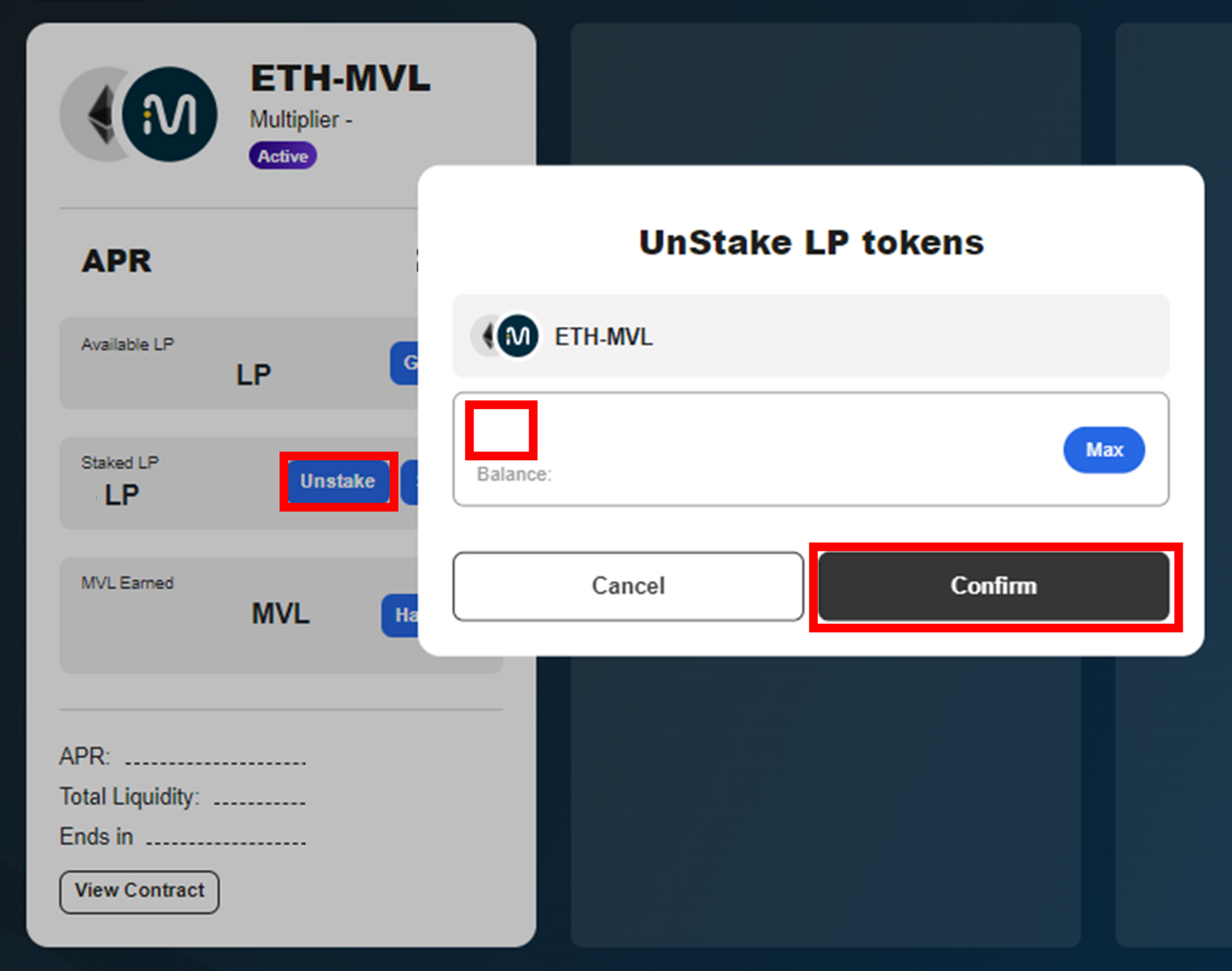
① To unstake the LP tokens, Click **\[Unstake]** button, then enter the amount of LP tokens you wish to unstake.
![](https://content.gitbook.com/content/QtGcg1a5smM2WOcc0Ti3/blobs/041ZhOdxwnw6PWNySrg8/image.png)

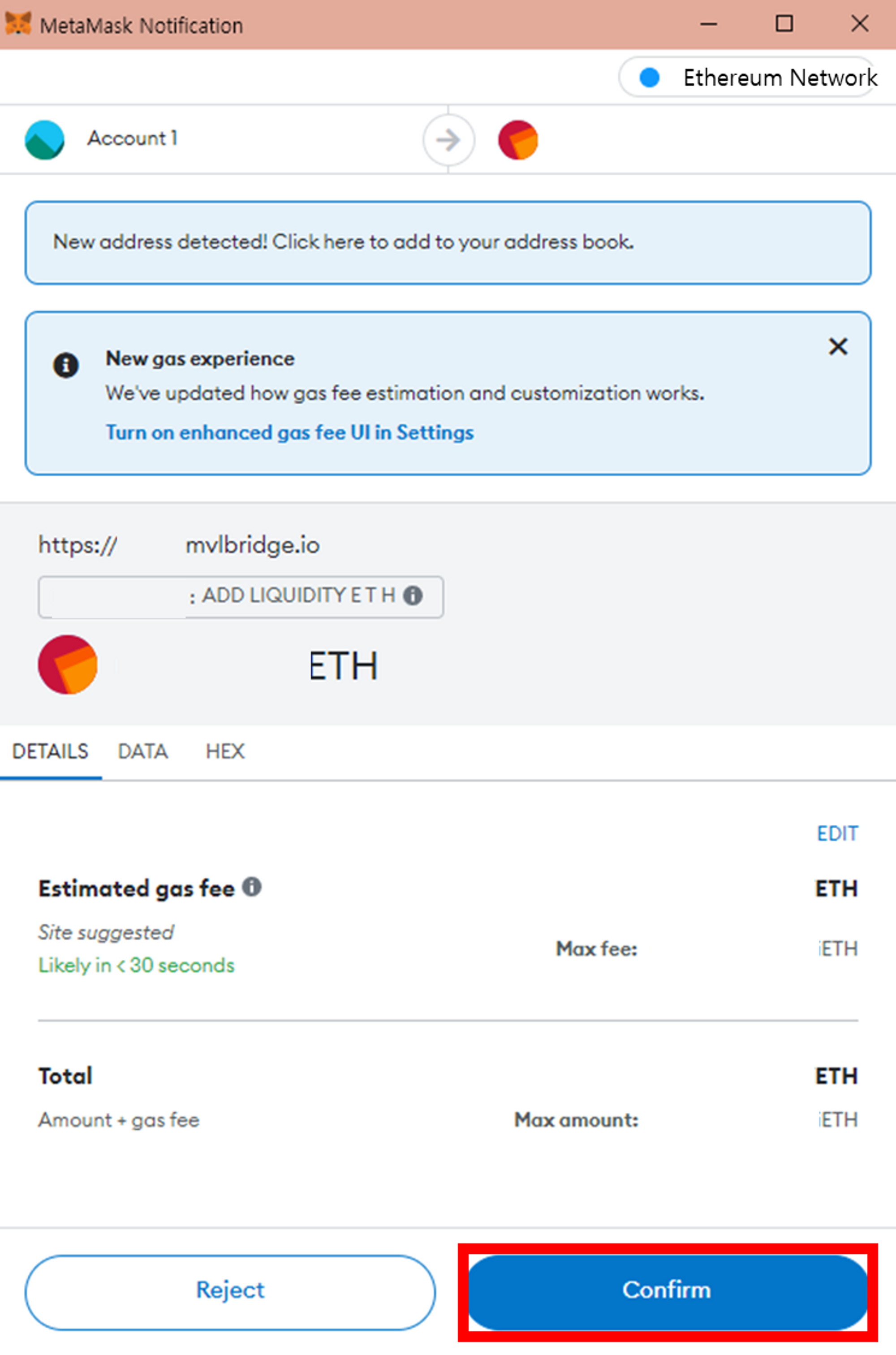
② Your wallet will now ask you to confirm the action. Once you check the estimated gas fee, Click the **\[Confirm]** button.

<figure><img src="https://content.gitbook.com/content/QtGcg1a5smM2WOcc0Ti3/blobs/C4MzCcdw5skCJ6t0ydTa/image.png" alt=""><figcaption></figcaption></figure>

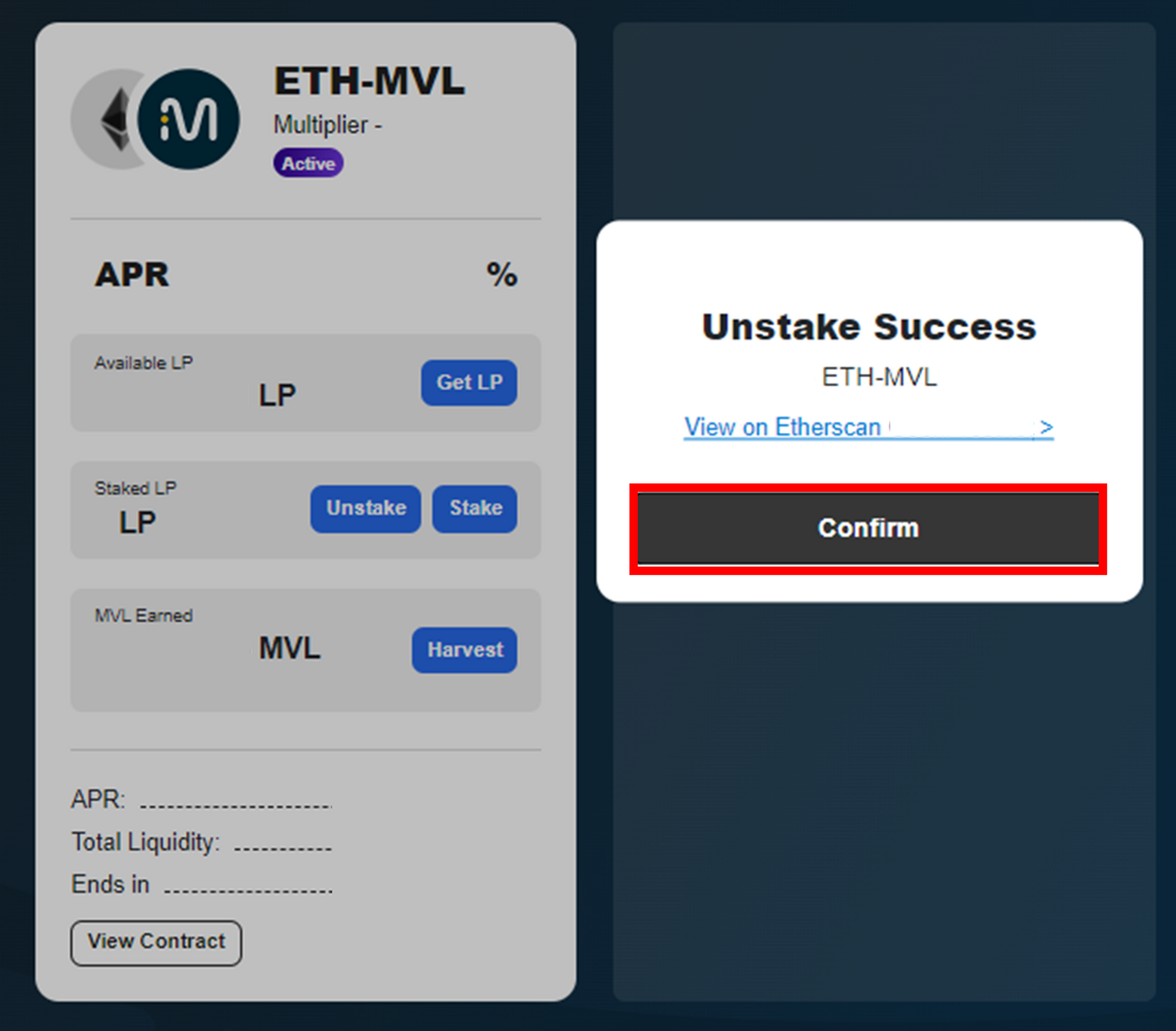
③ Click the **\[Confirm]** button.

![](https://content.gitbook.com/content/QtGcg1a5smM2WOcc0Ti3/blobs/9qgkP9oCnQwl7qf4RDTG/image.png)

④ You can check the unstaked LP Tokens on ‘**Available LP**’

### Removing LP Tokens from the Farms

<mark style="color:red;">**Depending on the relative value change between ETH and MVL after LP creation, impermanent loss may occur when LP is released.**</mark>

<figure><img src="https://content.gitbook.com/content/QtGcg1a5smM2WOcc0Ti3/blobs/lMfGkXNMyexyVpNkrpSj/image.png" alt=""><figcaption></figcaption></figure>

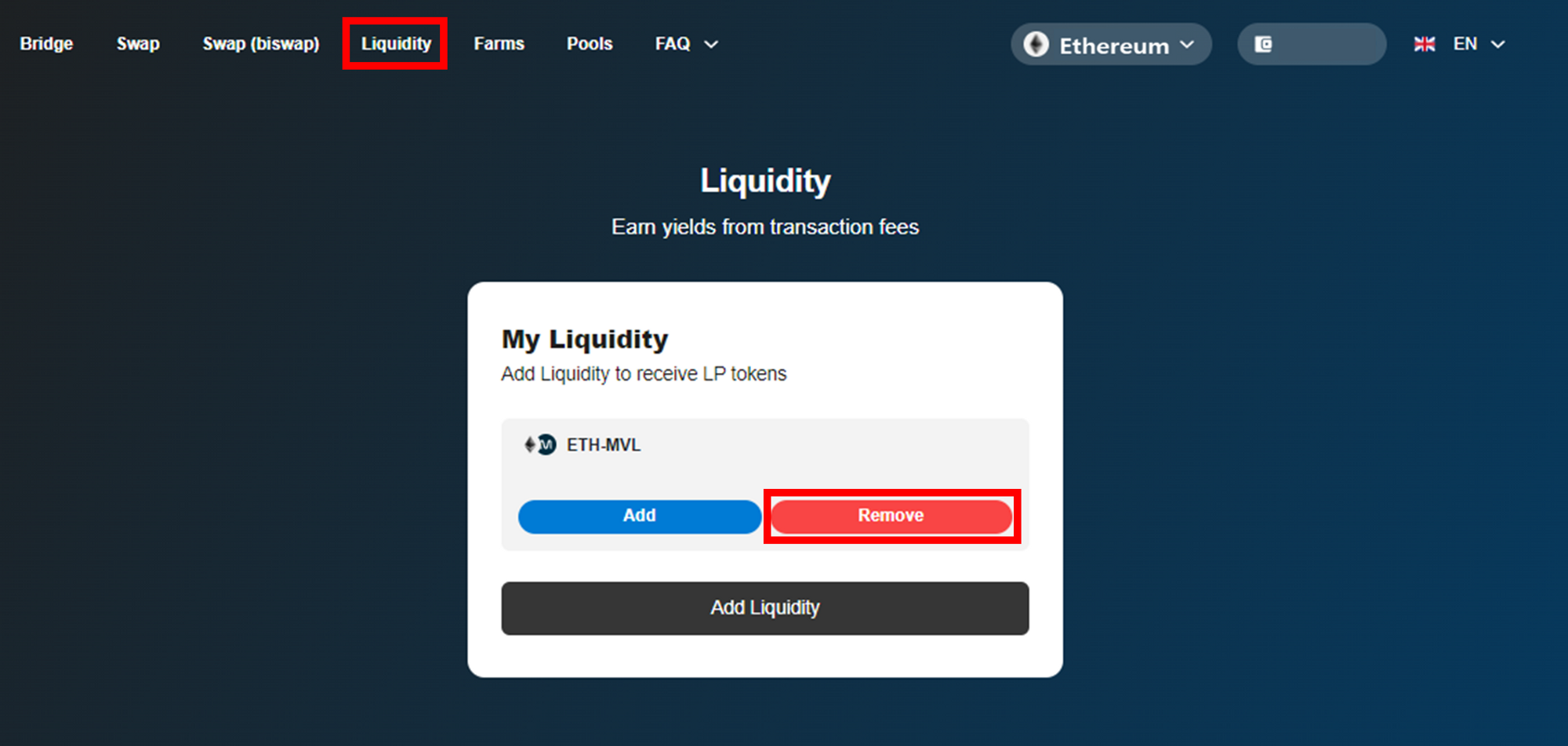
① Go to **\[Liquidity]** tab then click **\[Remove]** button on ‘**My Liquidity**’ to remove LP tokens from the farms.

<figure><img src="https://content.gitbook.com/content/QtGcg1a5smM2WOcc0Ti3/blobs/FvJwoyoUpf7x0nqIFJyx/image.png" alt=""><figcaption></figcaption></figure>

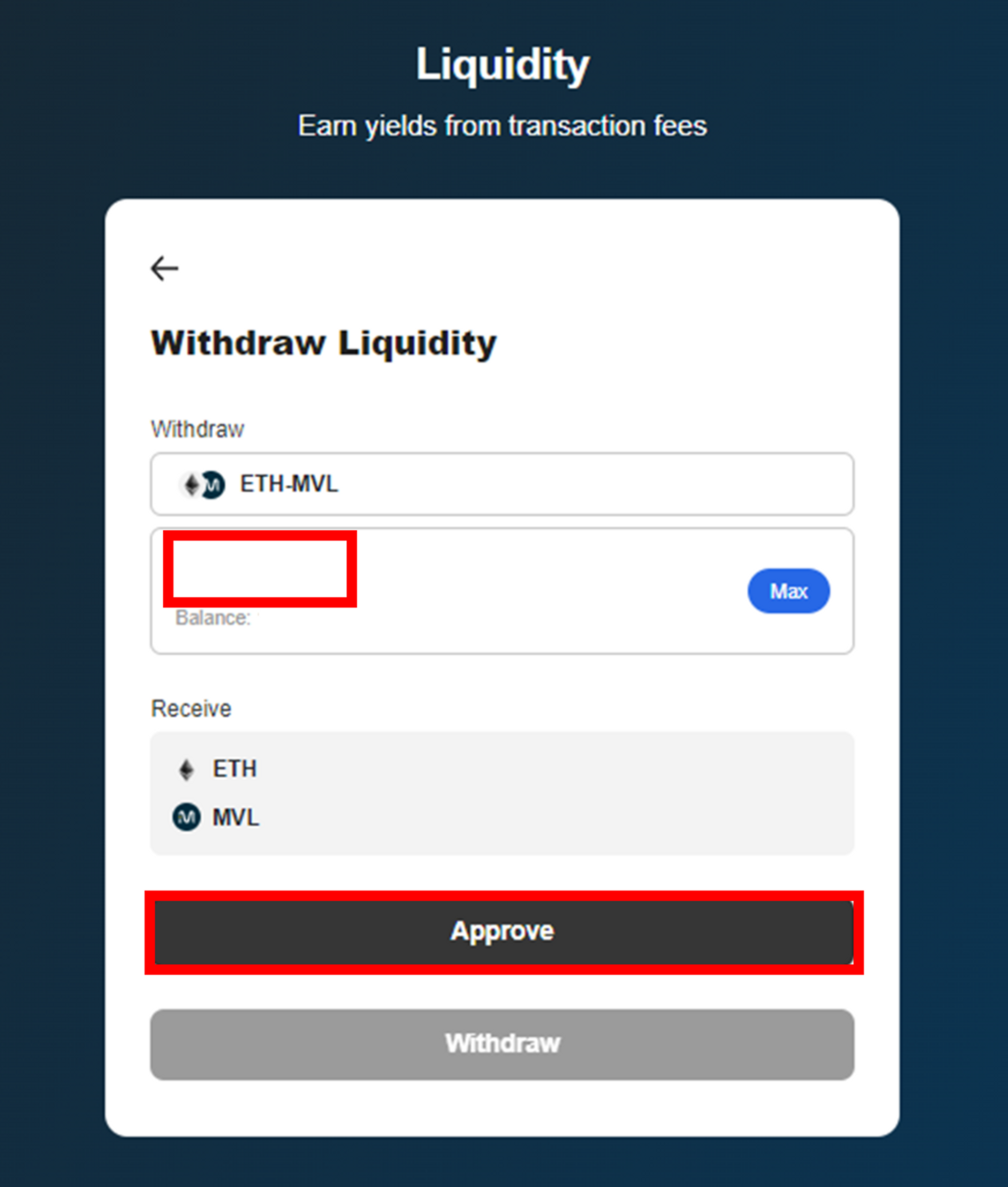
② Enter the amount of LP tokens you wish to withdraw, then click **\[Approve]** button on **‘Withdraw Liquidty’.**
![](https://content.gitbook.com/content/QtGcg1a5smM2WOcc0Ti3/blobs/6Gfzg0HF3SZAbW1pRoXm/image.png)

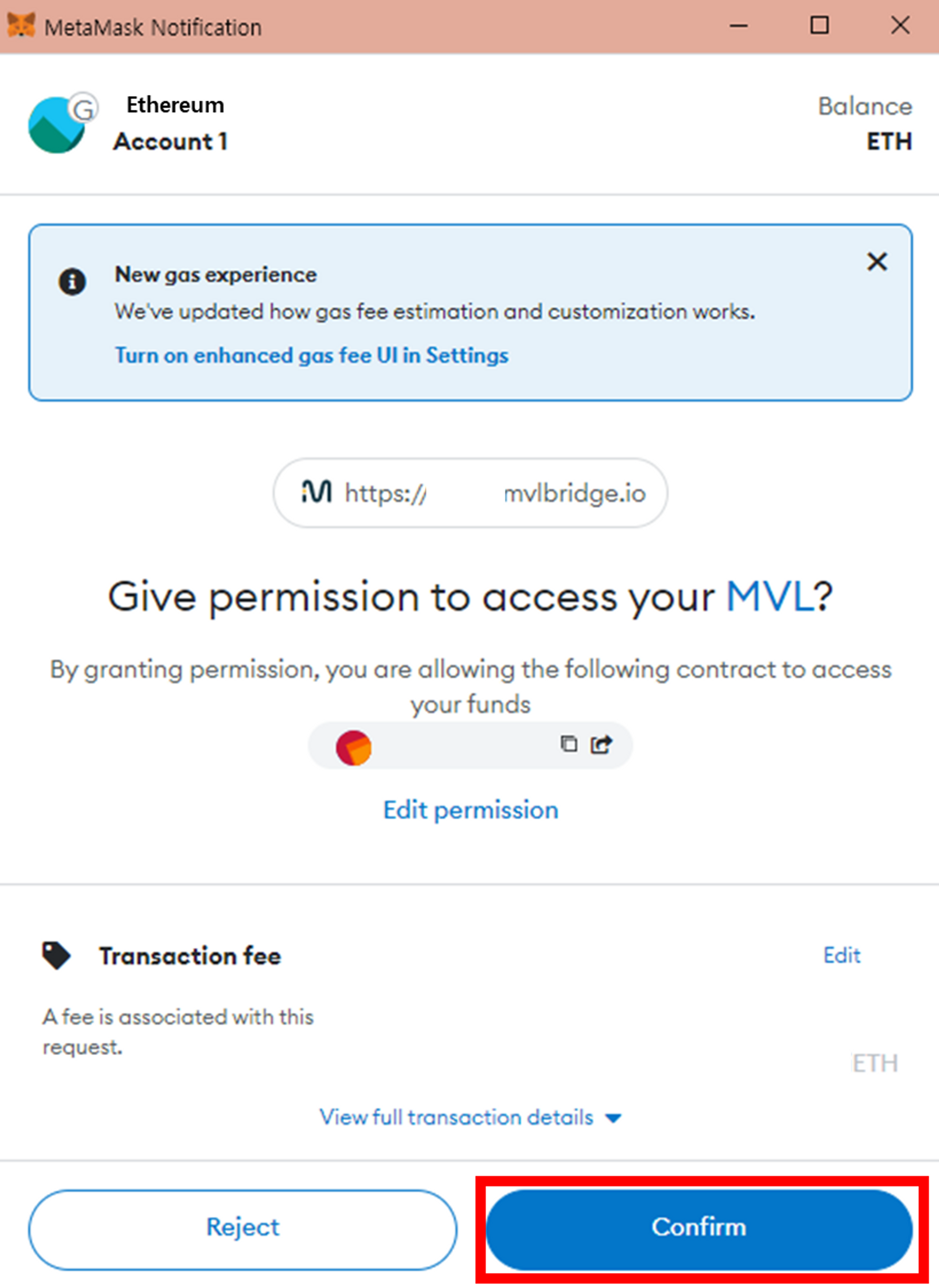
③ Your wallet will ask you to confirm the action. Check the estimated gas fee then click **\[Confirm]** button.

<figure><img src="https://content.gitbook.com/content/QtGcg1a5smM2WOcc0Ti3/blobs/QSqIBXsqFXRalK4kIkyg/image.png" alt=""><figcaption></figcaption></figure>

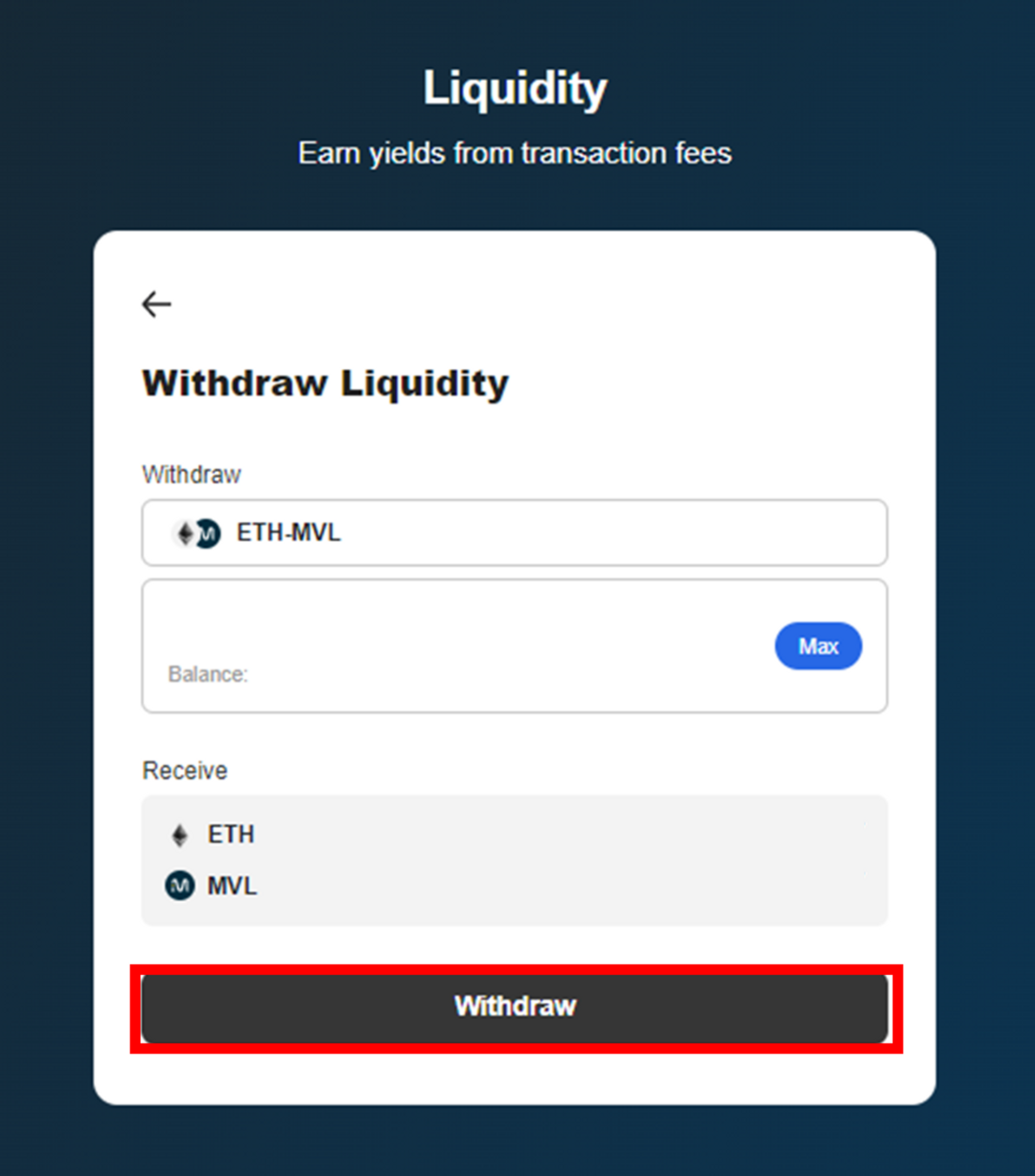
④ Click the **\[Withdraw]** button.

<figure><img src="https://content.gitbook.com/content/QtGcg1a5smM2WOcc0Ti3/blobs/8jmXze7tgbdecpggQJq9/image.png" alt=""><figcaption></figcaption></figure>

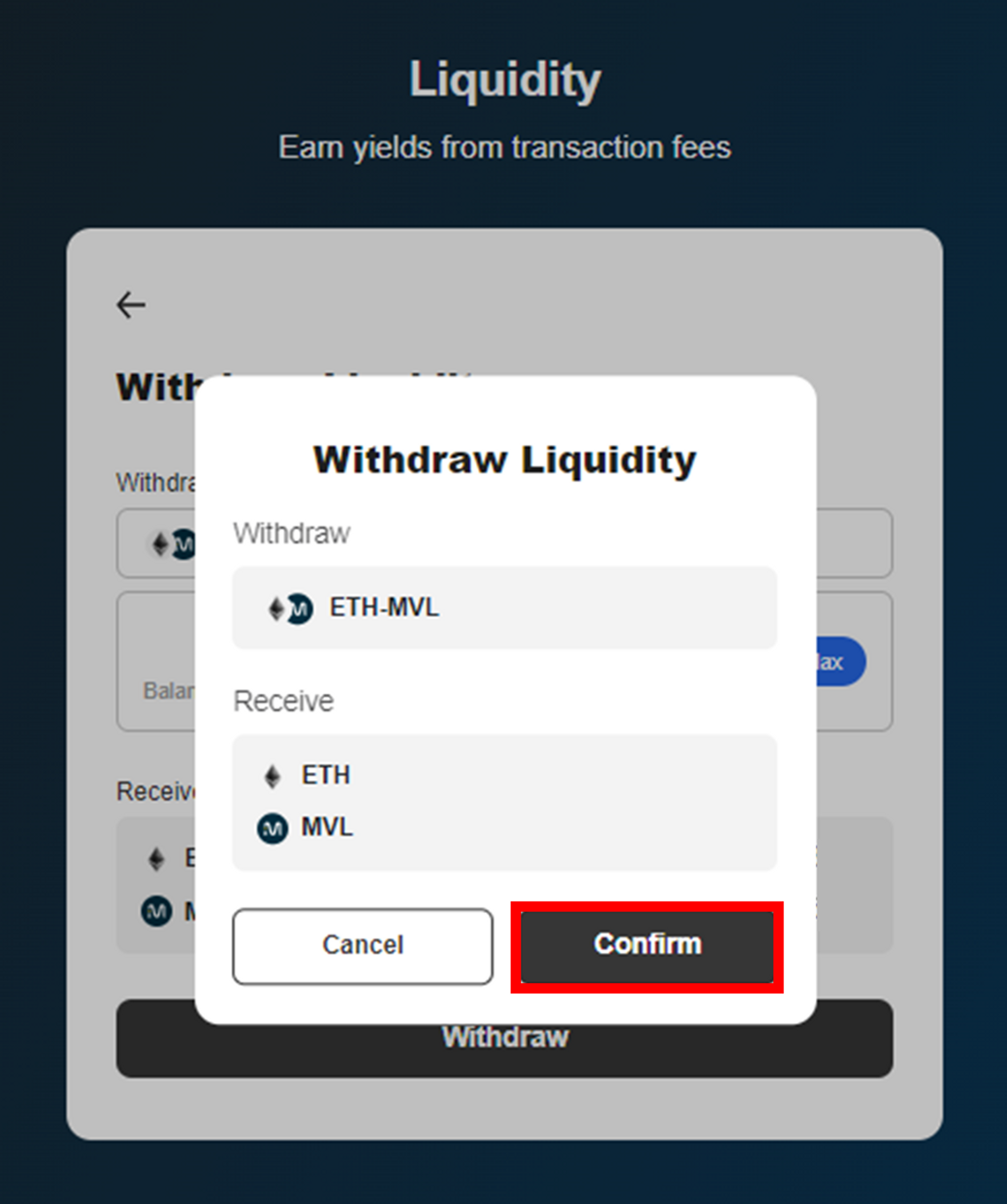
⑤ Check the Withdraw details then click the **\[Confirm]** button.
![](https://content.gitbook.com/content/QtGcg1a5smM2WOcc0Ti3/blobs/TmBMMnBb8w7fP7L8s6c8/image.png)

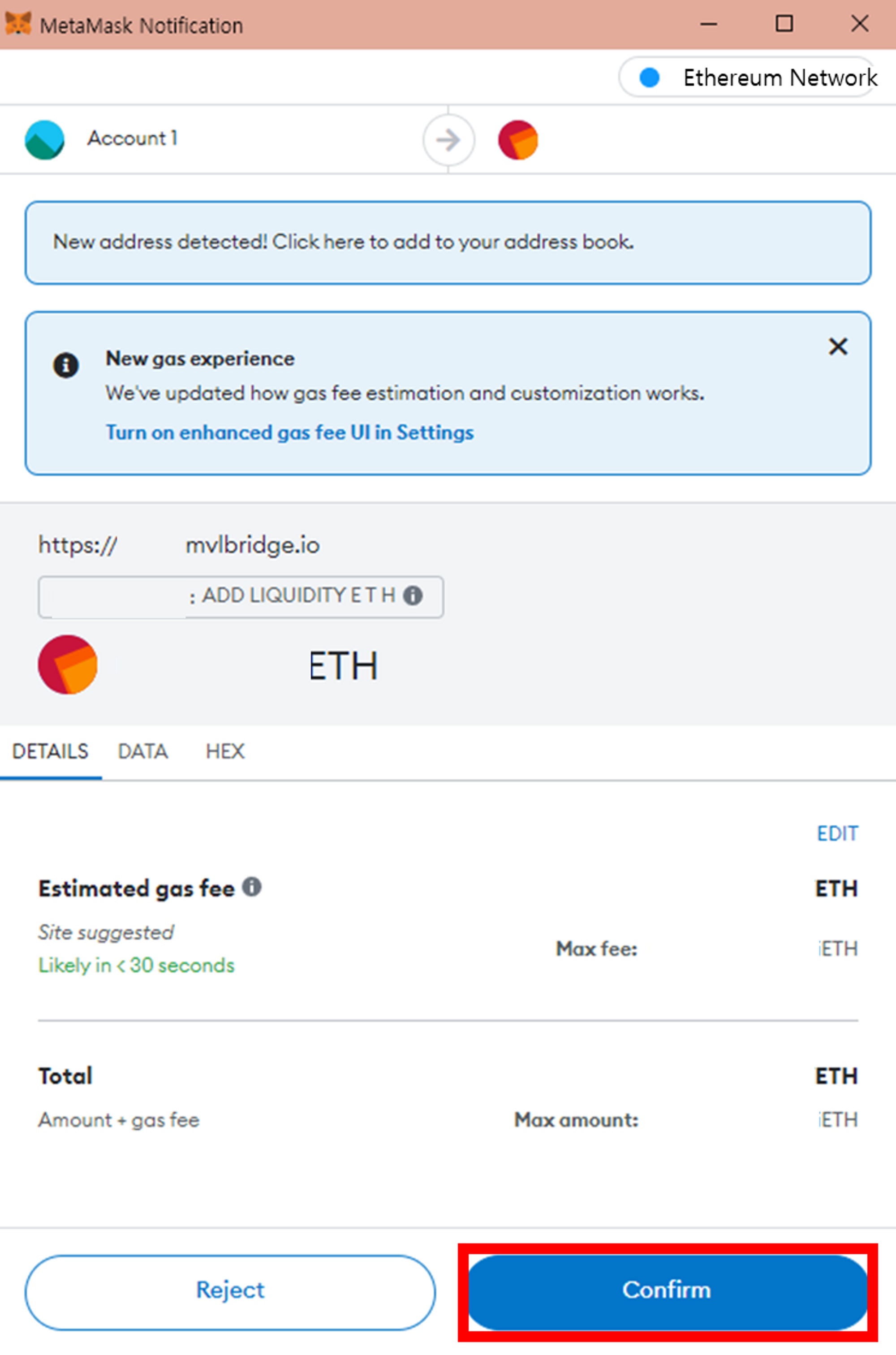
⑥ Check the estimated gas fee, then click **\[Confirm]** button.

<figure><img src="https://content.gitbook.com/content/QtGcg1a5smM2WOcc0Ti3/blobs/ifos58TvZReI4F1aq8D6/image.png" alt=""><figcaption></figcaption></figure>

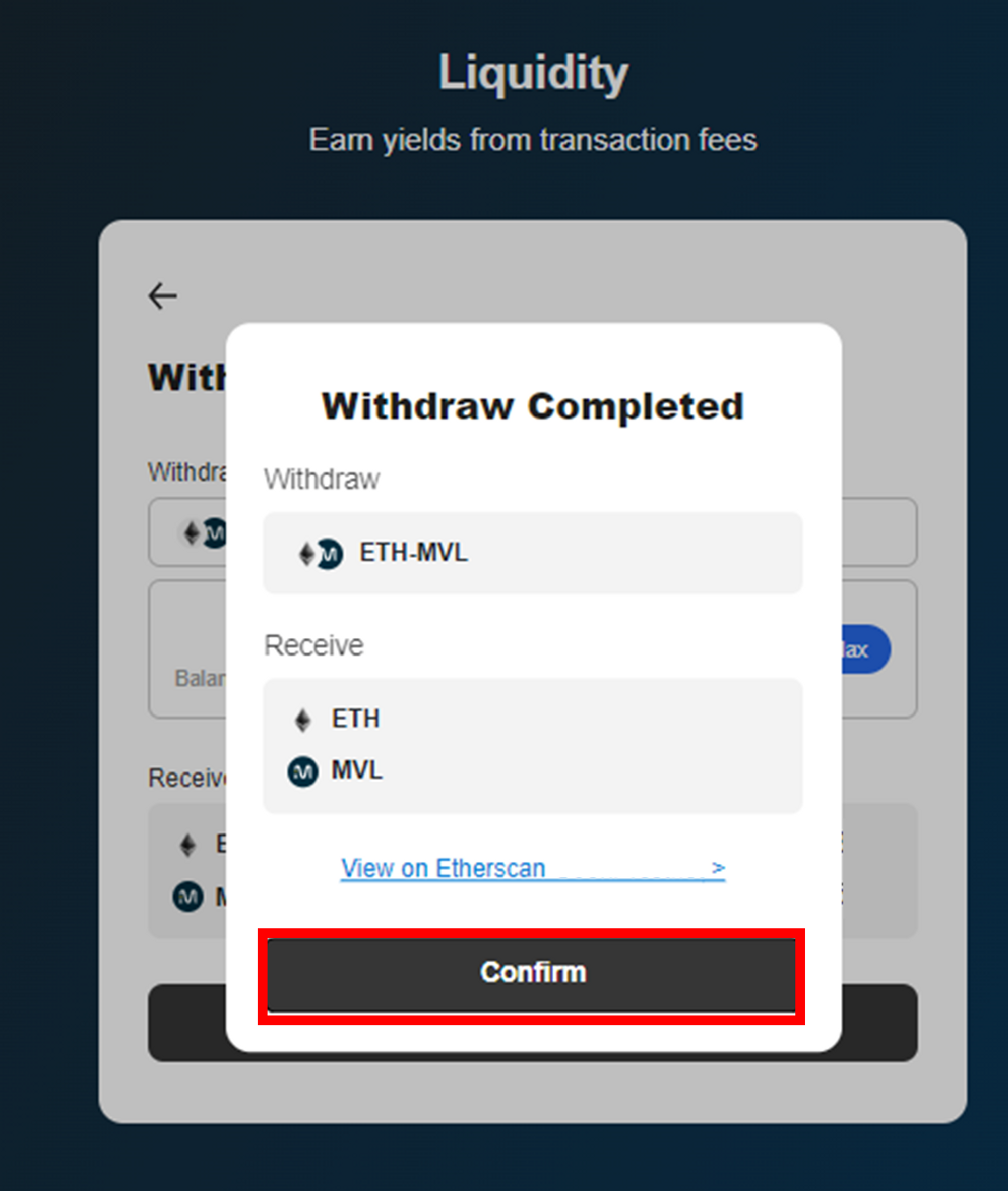
⑦ Click **\[Confirm]** button. You can check the transaction details on **\[View on Etherscan]**.

<figure><img src="https://content.gitbook.com/content/QtGcg1a5smM2WOcc0Ti3/blobs/qgdi3B0lu8eaeCbSLYhX/image.png" alt=""><figcaption></figcaption></figure>

<figure><img src="https://content.gitbook.com/content/QtGcg1a5smM2WOcc0Ti3/blobs/RqIBgZ6Ygr8qOTnrLxAj/image.png" alt=""><figcaption></figcaption></figure>

<figure><img src="https://content.gitbook.com/content/QtGcg1a5smM2WOcc0Ti3/blobs/NfgbaH2tgvWdip4eFf3W/image.png" alt=""><figcaption></figcaption></figure>

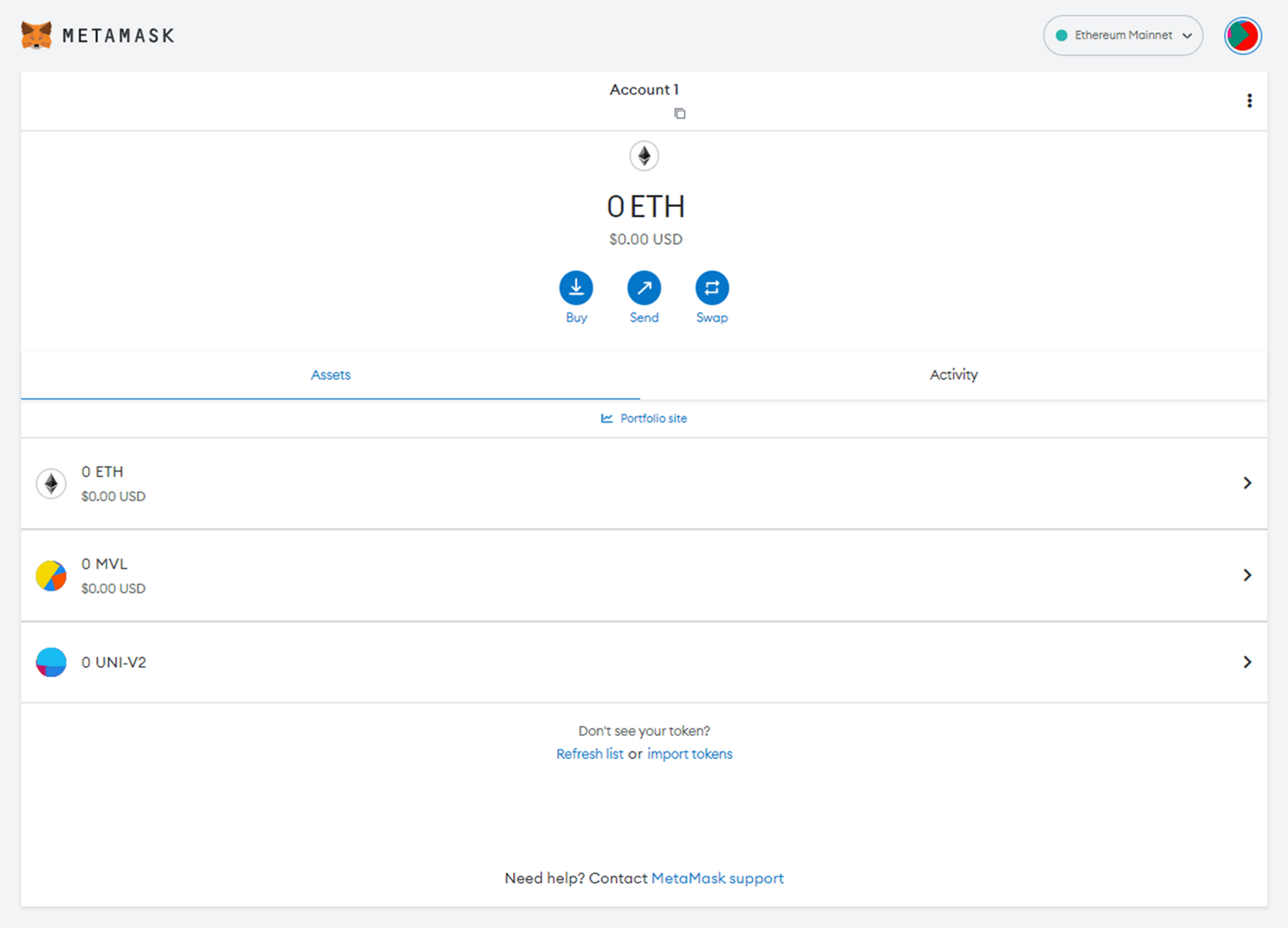
⑧ You can check your ETH & MVL removed from the LP tokens on the Metamask wallet, and ‘**Balance**’ and Available bMVL on the **\[Bridge]** tab and **\[Pools]** tab.

## Withdrawing of expired LP Staking

### Withdrawing principal + rewards together

<div align="left"><figure><img src="https://3314266105-files.gitbook.io/~/files/v0/b/gitbook-x-prod.appspot.com/o/spaces%2FQtGcg1a5smM2WOcc0Ti3%2Fuploads%2F96Y9zS79Vvxffmn8549m%2Fimage.png?alt=media&amp;token=65046742-5718-476d-95c0-d2d353a69aed" alt="" width="375"><figcaption></figcaption></figure></div>

① If you want to withdraw principal(ETH-MVL LP Token) and rewards(MVL) at the same time, press the **\[Unstake]** button. **A small ETH fee is charged when unstaking.**

<div align="left"><figure><img src="https://3314266105-files.gitbook.io/~/files/v0/b/gitbook-x-prod.appspot.com/o/spaces%2FQtGcg1a5smM2WOcc0Ti3%2Fuploads%2F0jA5snubCpneWw1sCuUF%2Fimage.png?alt=media&amp;token=42c363d2-99bb-41f2-b152-66d3aa9bdaa7" alt="" width="375"><figcaption></figcaption></figure></div>

② When the MetaMask notification appears, check the gas fee and click the **\[Confirm]** button.

<figure><img src="https://3314266105-files.gitbook.io/~/files/v0/b/gitbook-x-prod.appspot.com/o/spaces%2FQtGcg1a5smM2WOcc0Ti3%2Fuploads%2FlnEKLNVwzzitGe1EZoaE%2Fimage.png?alt=media&amp;token=415c6c06-4db4-4c9c-b434-32214f79d09c" alt=""><figcaption></figcaption></figure>

③ Click the **\[Confirm]** button and receive the principal and rewards. You can check the transaction details on **\[View on Etherscan]**

<div align="left"><figure><img src="https://3314266105-files.gitbook.io/~/files/v0/b/gitbook-x-prod.appspot.com/o/spaces%2FQtGcg1a5smM2WOcc0Ti3%2Fuploads%2FtSGztoEQX6lBGnsBsuGd%2Fimage.png?alt=media&amp;token=c242c34f-6e6d-4436-9ef8-7f1f045a8ecd" alt="" width="375"><figcaption></figcaption></figure></div>

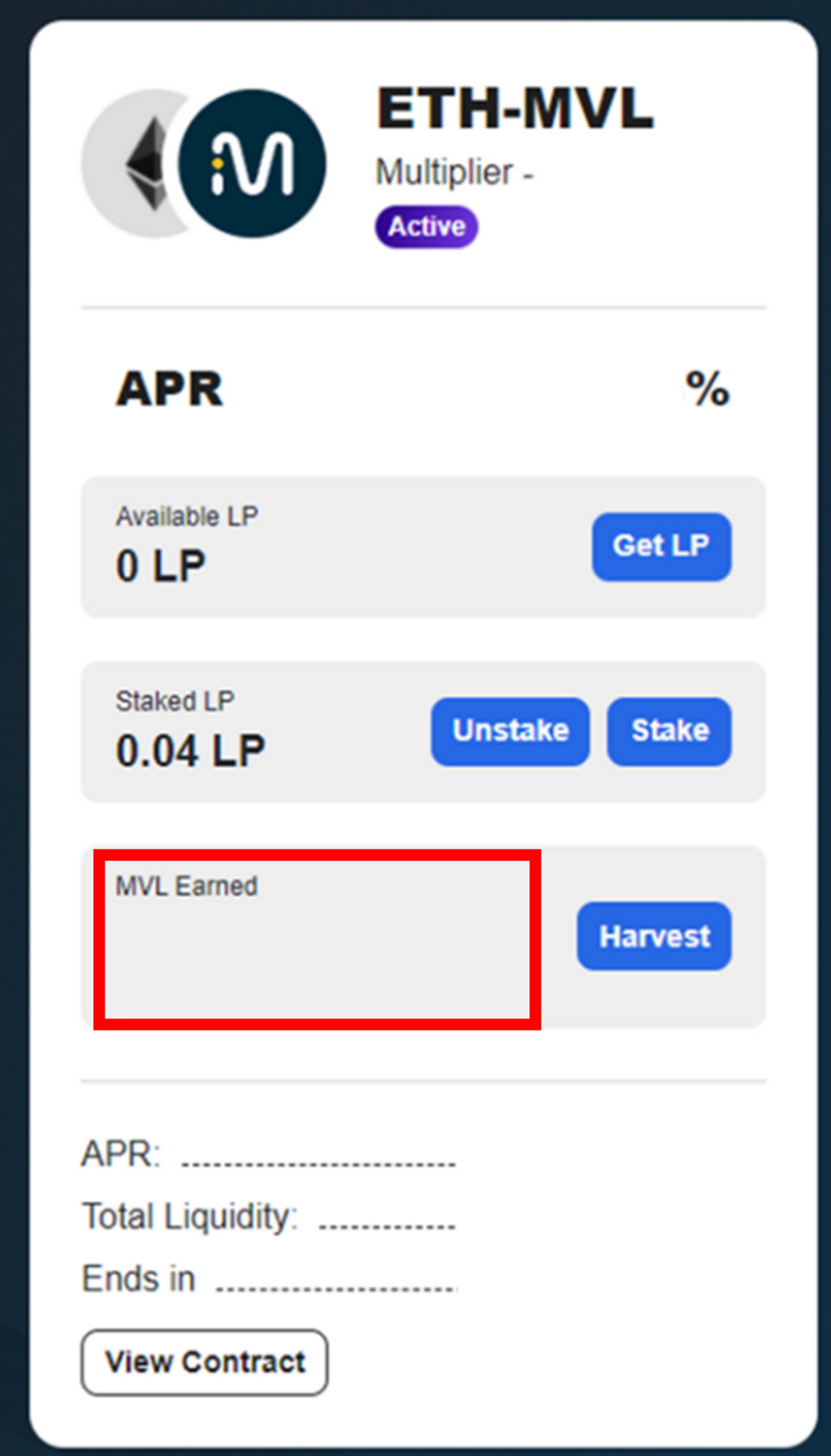
④ After receiving the principal and rewards, the staked LP is changed to 0 LP and the Earned MVL is changed to 0 MVL.

<figure><img src="https://3314266105-files.gitbook.io/~/files/v0/b/gitbook-x-prod.appspot.com/o/spaces%2FQtGcg1a5smM2WOcc0Ti3%2Fuploads%2F8Ib4NZ3iJ4rImmZqvot0%2Fimage.png?alt=media&amp;token=80bc2cd9-b7be-4465-92d6-dbef36f07a54" alt=""><figcaption></figcaption></figure>

<figure><img src="https://3314266105-files.gitbook.io/~/files/v0/b/gitbook-x-prod.appspot.com/o/spaces%2FQtGcg1a5smM2WOcc0Ti3%2Fuploads%2FddefAMMbtS6ZxQjCecjf%2Fimage.png?alt=media&amp;token=0685fe8e-643f-4453-b38a-d2438ce31287" alt=""><figcaption></figcaption></figure>

<figure><img src="https://3314266105-files.gitbook.io/~/files/v0/b/gitbook-x-prod.appspot.com/o/spaces%2FQtGcg1a5smM2WOcc0Ti3%2Fuploads%2FMpgCKdWKwjlw0wPbcTvV%2Fimage.png?alt=media&amp;token=2b2c9ea9-a653-4200-bad6-b7293a2aabee" alt=""><figcaption></figcaption></figure>

<figure><img src="https://3314266105-files.gitbook.io/~/files/v0/b/gitbook-x-prod.appspot.com/o/spaces%2FQtGcg1a5smM2WOcc0Ti3%2Fuploads%2FYZkPKfkFyeC9bdMgMe7m%2Fimage.png?alt=media&amp;token=43302c81-ef12-48bc-9b14-6ec74f9d2ac3" alt=""><figcaption></figcaption></figure>

⑤ You can check your harvested principal(ETH-MVL LP Token) and rewards(MVL) on **Metamask wallet, \[Liquidity] tab, \[Bridge] tab, and \[Pools] tab.**

### Withdrawing rewards only

<div align="left"><figure><img src="https://3314266105-files.gitbook.io/~/files/v0/b/gitbook-x-prod.appspot.com/o/spaces%2FQtGcg1a5smM2WOcc0Ti3%2Fuploads%2FQwKENusUWHUy95ZmkFgU%2Fimage.png?alt=media&amp;token=f82ebb5a-3502-4a78-9596-86bd29b7e01a" alt="" width="375"><figcaption></figcaption></figure></div>

① If you only want to withdraw rewards(MVL), click the **\[Harvest]** button. **A small ETH fee is charged when withdrawing rewards.**

<div align="left"><figure><img src="https://3314266105-files.gitbook.io/~/files/v0/b/gitbook-x-prod.appspot.com/o/spaces%2FQtGcg1a5smM2WOcc0Ti3%2Fuploads%2FBuuDFHqMi51g5sBbz7x0%2Fimage.png?alt=media&amp;token=c400d474-5ac8-4635-b53b-3a2d89af5722" alt="" width="375"><figcaption></figcaption></figure></div>

② Check the estimated gas fee and click the **\[Confirm]** button.

<figure><img src="https://3314266105-files.gitbook.io/~/files/v0/b/gitbook-x-prod.appspot.com/o/spaces%2FQtGcg1a5smM2WOcc0Ti3%2Fuploads%2FQNLqiNM6r7GzooTITLAW%2Fimage.png?alt=media&amp;token=9f29c4b2-3fbd-49ef-bced-37ba790e1cea" alt=""><figcaption></figcaption></figure>

③ Click **\[Confirm]** button. You can check the transaction details on **\[View on Etherscan]**.

<div align="left"><figure><img src="https://3314266105-files.gitbook.io/~/files/v0/b/gitbook-x-prod.appspot.com/o/spaces%2FQtGcg1a5smM2WOcc0Ti3%2Fuploads%2FQmvpkAalSuxhxRWUaxiu%2Fimage.png?alt=media&amp;token=74612aef-66b9-49ec-920b-41324058fe0b" alt="" width="375"><figcaption></figcaption></figure></div>

④ After receiving the rewards, the Earned MVL changes to 0 MVL.

<figure><img src="https://3314266105-files.gitbook.io/~/files/v0/b/gitbook-x-prod.appspot.com/o/spaces%2FQtGcg1a5smM2WOcc0Ti3%2Fuploads%2FkmOVuDoBh4WboxGLhJf8%2Fimage.png?alt=media&amp;token=747d6221-a1e3-4e30-9d2b-301088475180" alt=""><figcaption></figcaption></figure>

<figure><img src="https://3314266105-files.gitbook.io/~/files/v0/b/gitbook-x-prod.appspot.com/o/spaces%2FQtGcg1a5smM2WOcc0Ti3%2Fuploads%2FD3gVM0DyBqG54yfwL9fL%2Fimage.png?alt=media&amp;token=5f485855-3b07-4c2b-baf4-ce59f2b798bf" alt=""><figcaption></figcaption></figure>

<figure><img src="https://3314266105-files.gitbook.io/~/files/v0/b/gitbook-x-prod.appspot.com/o/spaces%2FQtGcg1a5smM2WOcc0Ti3%2Fuploads%2FxoMYyPFDLsFopmcyGxGV%2Fimage.png?alt=media&amp;token=0c3e9170-05e7-4140-8f38-f16639014804" alt=""><figcaption></figcaption></figure>

⑤ You can check your harvested MVL on **Metamask wallet, \[Bridge] tab, and \[Pools] tab.**