> For the complete documentation index, see [llms.txt](https://docs.mvlchain.io/llms.txt). Markdown versions of documentation pages are available by appending `.md` to page URLs; this page is available as [Markdown](https://docs.mvlchain.io/user-guide/tada-mini-booking/tada-mini-booking-guide/en-tada-mini-on-base.md).
# EN) TADA Mini on Base
```
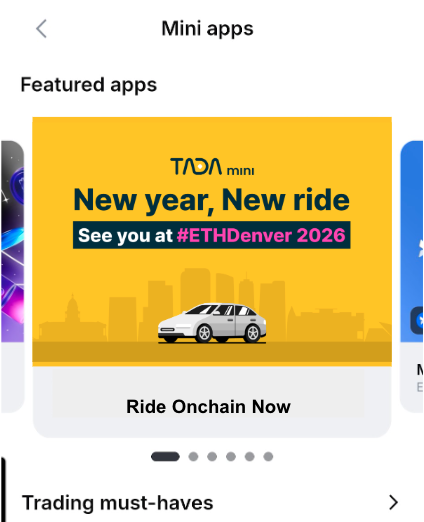
⭐️ TADA mini is now in Denver, USA for ETHDenver 🚕 ✨
```
## **TADA Mini on Base: Your Web3 Ride-Hailing Guide**
Launched in 2024, TADA mini is an experimental and pioneering effort to integrate blockchain technology directly into everyday life. Inspired by the massive success of the original TADA ride-hailing service and MVL blockchain, the project does a collaboration with the Base network to continue this innovation.
By bridging the gap between digital assets and physical transportation, TADA mini serves as a real-world use case for decentralized finance. It allows users to book and pay for rides seamlessly using USDC via Coinbase’s Base Pay, removing the friction of traditional banking and currency exchange.
### **Quick instructions**
#### Step 1: Open the App
* Search: Open the Base app and search for TADA mini.
* Grant Permissions: Tap Start and allow the app to access your GPS location. This is required so the driver can find your pick-up point.
* Login is required using Base Smart Wallet.
#### Step 2: Set Your Route
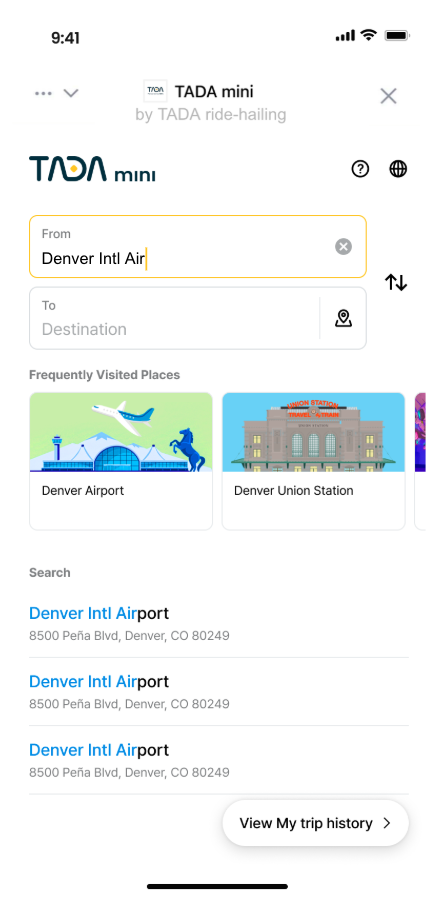
* Pick-up & Drop-off: Enter your locations by typing, using search, or selecting from Frequently Visited Places.
#### Step 3: Set Your Ride & Contact Info
* Choose Vehicle: Select your preferred car type (e.g., TADA Body, Sedan, or Van).
* Contact Verification: Enter your name and verify your phone number via a code. This is a one-time setup so drivers can call you if they can't find you.
#### Step 4: Payment via Base Pay
* Check Fare: Review the total fare displayed.
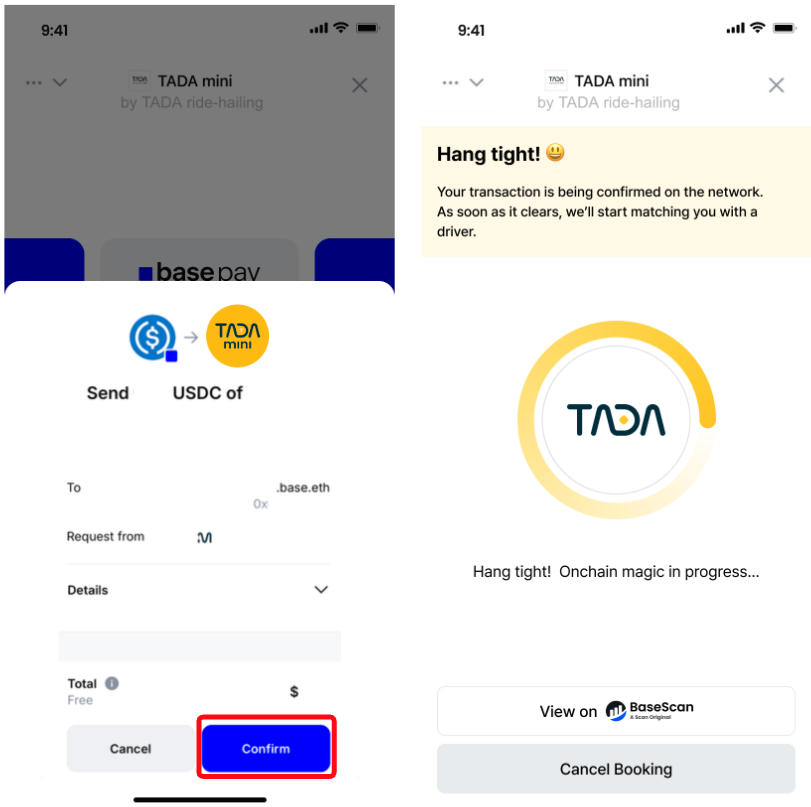
* Book TADA: Tap the "Book TADA" button. A Base Pay wallet popup will appear.
* Confirm: Finish the payment in your wallet. The on-chain transaction will process immediately.
#### Step 5: Meet Your Driver
* Tracking: Once matched, you can see the driver’s real-time location on the map.
* Communication: Tap the phone or message icons to chat with your driver.
* Arrival: When you reach your destination, you can leave a tip to show your appreciation.
It's so easy-peasy, isn't? Still doubt? Please check detailed instructions as well.
### Detailed Instructions
{% hint style="success" %}
Follow the link below or Search for TADA mini on Base app.
On your base app, and Get & Open TADA mini app, then it will start right away.
{% hint style="info" %}
To use TADA mini's full functionality, **GPS location must be enabled and location permissions must be granted to the Base app**. Currently, iOS supported.
{% endhint %}
When you open TADA mini app, Login request will be appeared. Please press Confirm button to continue using TADA mini service and it is required only for first time.
If you cancel and continue to login again, please press Continue to login with Base button.
{% hint style="success" %}
**\[New Update]** **Login is required** using Base Smart Wallet supporting SIWE authentication.
{% endhint %}
1. **Grant Permissions**: Tap Start and allow the app to access your GPS location. This ensures the driver can find your exact pick-up point.
This is onboarding guide and you can start booking a ride by clicking Start Riding.
2. **Set your route**: Enter your **pick-up** and **drop-off** locations.
(1)You can also use the map pin to be more precise.
(2)You can also set the destination by clicking thumbnail of **Frequently Visited Places.**
(3)You can also set the location by **typing** and **search**
3. **Select Car type**: Now **select the car type** you want to ride with.
4. **My contact set up:** Enter your name and get a code to verify your phone number in case your driver may contact to find your location to pick up. This is only for one time, and saved until you update.
Once verified your phone number, it's saved now.
5. **Check your ride fare:** Your ride fare amount will be shown finally. You will finish payment with basepay by clicking **Book TADA** button.
6. **Payment**
When you click Book TADA, base pay wallet popup will appear and you can confirm to finish the ride fare payment. Once confirmed, **onchain transaction** process will start immediately.
{% hint style="info" %}
Onchain transaction processing may take some time when many are active on the network.
{% endhint %}
{% hint style="warning" %}
If you accidentally cancel or close the popup, simply click **Continue with basepay** button, then base pay popup will apprear again.
{% endhint %}
7. **Meet your driver and start your trip**
Almost done. as soon as you're matched with a driver, your driver will be on the way to pick you up.
{% hint style="info" %}
To chat with your driver, click the **phone** or **message icons**, and you can see the driver's real-time location on the map by clicking **View Map** button. Sometimes ***your driver might call you*** to find your location at the airport.
{% endhint %}
8. **You're arrived at destination, hurray!**
Your driver will finally get you to the destination safely. If you enjoyed the trip with your driver, you can also leave your appreciation. It goes 100% to your driver.
Enjoy you trip with TADA mini 🎉🚖
## **Things good to know**
#### **1. Cancellation & Refund**
{% hint style="warning" %}
If you want **to cancel** the trip **before** matching with your driver.
{% endhint %}
You can always cancel your trip before starting your trip, and the refund will be processed within 24 hrs(usually earlier than that) and the refund amount will be back to your wallet address you used with basepay.
{% hint style="warning" %}
If you want **to cancel** the trip **after** you matched with your driver.
{% endhint %}
There are **3 minutes grace periods** for **cancellation**, and **a fee may apply** after 3 mins passed and your driver is on the way to pick you up since they are committed to your trip.
{% hint style="success" %}
We provide your **onchain transaction hash for payments made via BasePay**, as well as the refund transaction hash, directly on the TADA mini app. We are working to process your refund as quickly as possible. Thank you for your patience.
{% endhint %}
#### **2. Driver had to cancel**
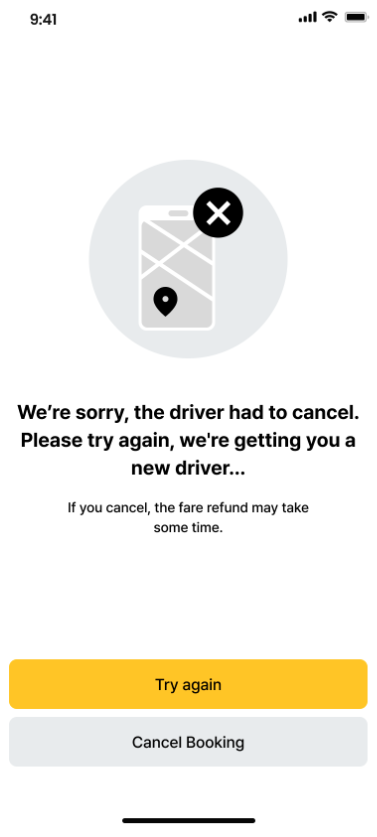
We're sorry, sometimes drivers got stuck on the road due to traffic. You can book your ride again by clicking **Try again**, or **cancel** your trip.
#### **3. CS contact information**
For Denver operation, **TADA mini is collaborating with COOP** in Denver, a licensed TNC, to provide ride-hailing operations for ETHdenver. For your inquiry, please contact to **COOP team**.
**Need Help?** You can find customer support contact information directly within the app. Clicking the support email will automatically generate a form for you to fill out.
{% hint style="info" %}
Please **make sure to include your booking number** in the message to help us track your trip and resolve your issue faster.
{% endhint %}
Email:
Phone: (720)618-5961, From Monday to Friday, 10am to 3pm in local time
Please note that terms and conditions apply. Any promotional amounts applied are non-refundable. For inquiries, please contact our CS team. Navigate Denver with TADA mini!